Setting up publications
When the DMS server is running, you can setup email sending and communication publications on a server level. This is completely optional. You can set this up on the Email page opened from the administration console.
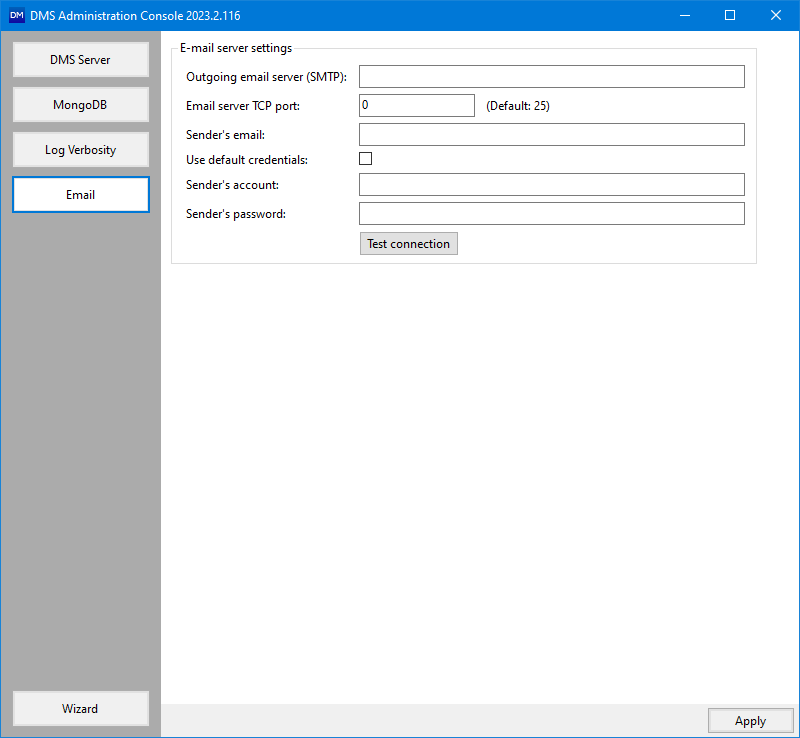
Email server settings. click to enlarge
Fill in the following E-mail server settings:
Outgoing email server (SMTP) Fill in the email server. Make sure email server has permissions to allow sending of email.
Email server TCP port Fill in the port number.
Sender's email Fill in the email address. This is the email address from where emails will be sent.
Use default credentials When you check the checkbox, the email server authentication is performed using the default credentials of the currently logged on service account.
Sender's account Only applicable when you do not check the 'Use default credentials' checkbox option. Fill in the sender’s account.
Sender's password Only applicable when you do not check the 'Use default credentials' checkbox option. Fill in the sender’s password.
Click Apply to save your settings.