Setup
Use the Setup sub-strip to define all input for the Solids Production workflow. The input is essentially the geomechanical model created in the 1D Model. However, the lithology must first be defined.
The Lithology & TWC form lets you edit or define the rock property from a previous lithology modeling within your solution or create the lithology based on a discrete log. After that, the calculation of the TWC log is addressed.
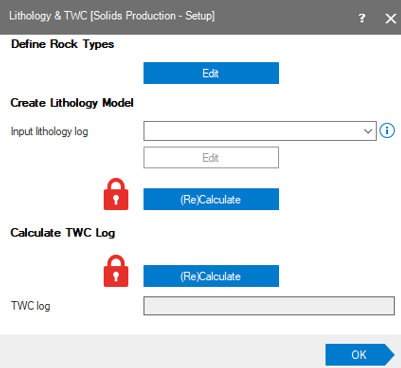
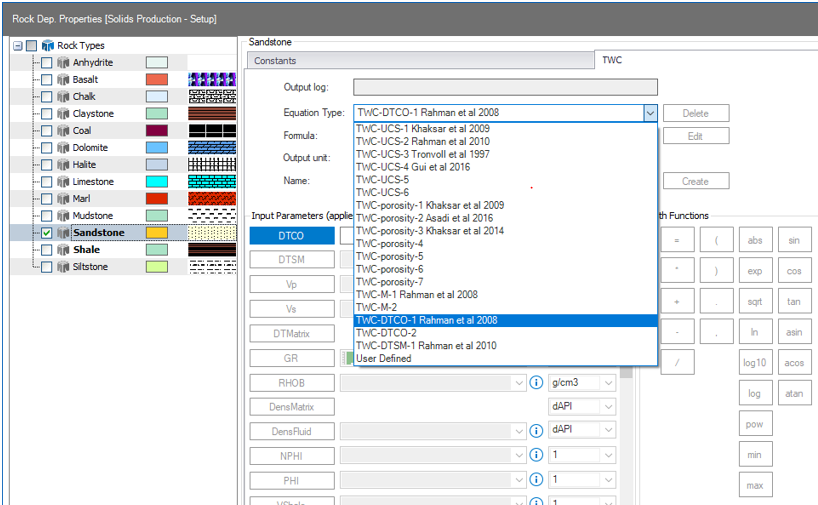
Click Edit in the Define Rock Types section of the form. The Rock Dep. Properties form will open; this contains the entire library available to calculate TWC for different rock types. This library includes equation to calculate TWC as a function of: UCS, porosity, Acoustic, among others. You can also define your own equation. The bold rock types represent the formations defined in the lithology model.
Form more information about the TWC parameter and equations, see Thick Walled Cylinder.
Click OK on the Lithology & TWC form to move to the Input Data Editor form.
Input Data Editor
This form allows you to define constants or assign logs to various parameters and can be a very useful aid in making your analysis. The values you define are applied throughout the workflow as additional factors that can help make the prediction more accurate.
Principal Stresses / Inclined Stresses
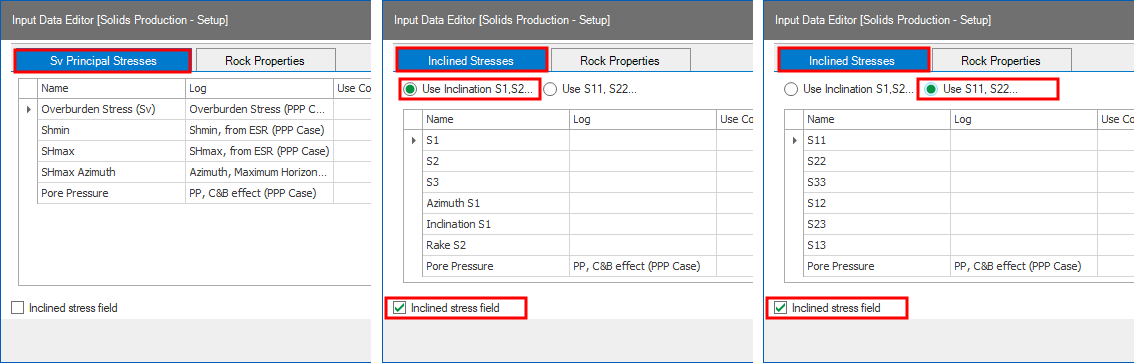
The SPP workflow supports vertical as well as inclined stress regimes. Use the checkbox Inclined stress field at the base of the form to swap the data entry tab to the desired regime, see image below.
Principal Stresses With the tab set to 'Sv Principal Stresses' you can define the overburden stress (Sv), principal stresses (Shmin and SHmax), direction of maximum horizontal stress (SHmax Azimuth) and pore pressure as log or as constant. You can either import (using DATA strip) or calculate these logs in the 1D MODEL module.
Inclined Stresses With the tab set to 'Inclined Stresses', you can enter inclined stresses in two ways:
- Using six stress tensor components (select Use S11, S22...).
- Using stresses and direction angles (select Use Inclination S1, S2... ).
Input Validation and Recommended Value Ranges
When constant values are entered for pore pressure and in-situ stresses, the application applies both hard limits and recommended ranges to help identify invalid or potentially unrealistic input data.
Hard limits define physically consistent relationships between the input parameters and must be satisfied before the analysis can be performed. Specifically:
-
Pore pressure (PP) must not exceed Sv, Shmin, or SHmax.
-
Shmin must not exceed SHmax.
-
Vertical stress (Sv) must be greater than zero and less than 3 psi/ft.
Values that violate a hard limit are highlighted in red and a validation message is displayed indicating the allowable range. The analysis cannot proceed until all hard-limit violations are corrected.
In addition, the application evaluates the inputs against a set of recommended ranges based on typical field values. These checks are intended to help identify values that may be unusual and should be reviewed. The current recommendations are:
-
PP should be greater than 1000 kg/m³ EMW.
-
Sv should be greater than zero and less than 3 psi/ft.
-
Shmin should be greater than 1800 kg/m³ EMW.
-
SHmax should be greater than 1900 kg/m³ EMW.
Values outside the recommended ranges are accepted but highlighted in light brown. Hovering over the highlighted cell displays a tooltip showing the recommended minimum and maximum values. This warning does not prevent the analysis from running, but it indicates that the input should be verified before proceeding.
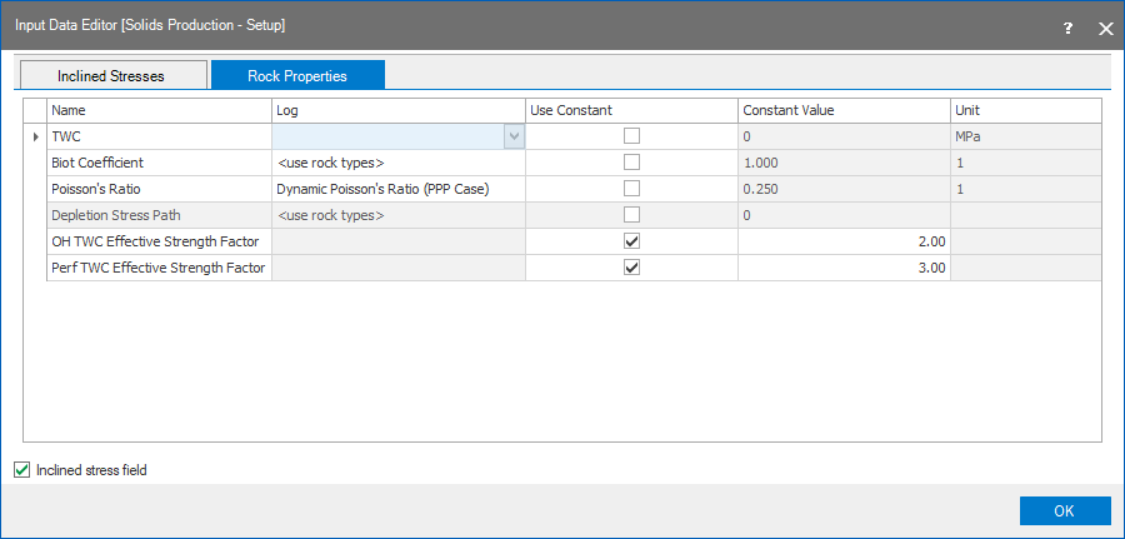
On the Rock Properties tab of the Input Data Editor form you can assign input data to be used for: TWC, Biot Coefficient, Poisson’s ratio, Depletion Stress Factor, OH TWC Effective Strength Factor and Perf TWC Effective Strength Factor.
For more information about these parameters, see References.
Click OK to open the Validate Input Data form, where you can verify all inputs defined.
Depth interval where the rock contains certain physical characteristics that make it commercially suitable to be produced.
Information such as: Start date, end date, start MD, depth MD, status of the wellbore: Open, Close or undefined, completion type: Open hole or cased holed, as well as all perforation information is possible to define in this table.
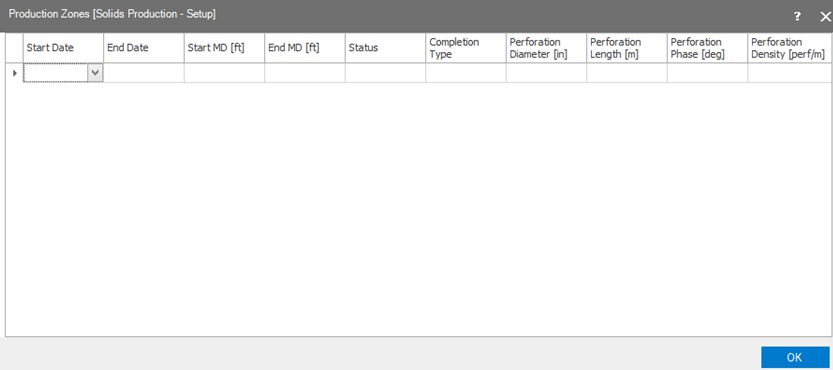
Note: when validating the Input data, most of the information provided in the production zones will be displayed in the wellbore schematic track.