Creating non-linear trend lines
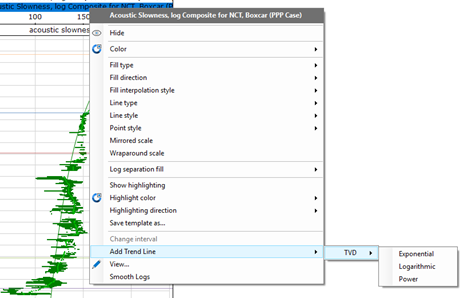
To create a nonlinear trend, the methodology is the same to the one use to create log trends. Right click on the log where you want the trend to be use. In this example, the <Acoustic Slowness, log Composite for NCT, Boxcar (PPP Case) has been selected. From the drop down menu, select Add trend line > TVD, then choose the type of trend.
Once the trend has been created, the inspector can be used to better fit the trend equation.
Note: While for linear trends, the water density value use to calculate normal trend comes from the linear model table, for the non-linear trends, this values comes from the Datum settings