How do I select my display units?
You can select and adjust units in various ways.
Right-click any unit label that you want to change. When you change the units, all display units of the same category are changed throughout the application. For example, if you change the Pressure unit from MPa to psi, than all pressure values in the application are displayed in psi.
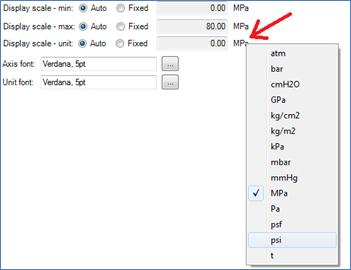
click to enlarge
You can also go to HOME > Settings > Units and select Unit System.
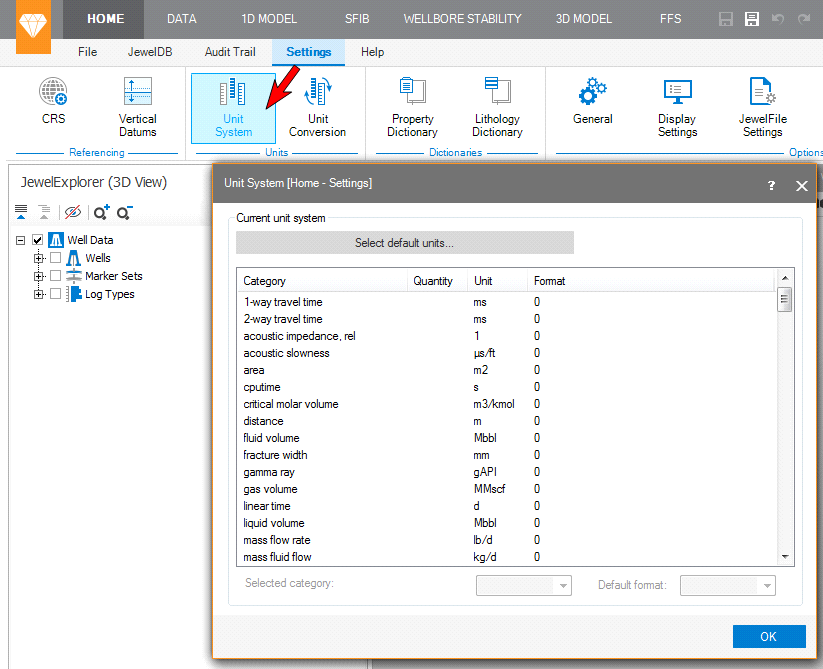
click to enlarge
When you select a property in the JewelExplorer, the corresponding properties are available in the Property Inspector tab of the Inspector (Panes > Inspector) where you can also adjust the display units.
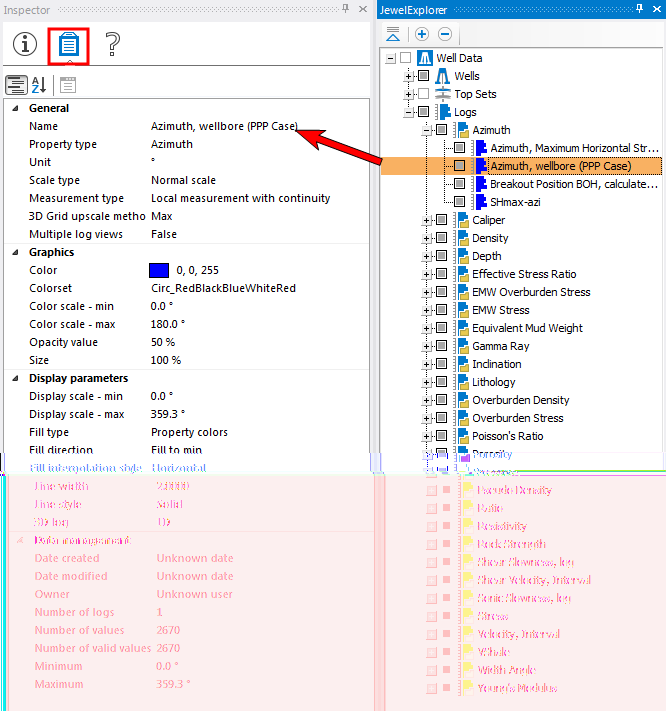
click to enlarge