About solution files
All operations performed on data during workflow steps are stored within a project file (.jewel), commonly called a solution. This contains the entire project context and settings for the current JewelSuite Geomechanics run. The project file is a zip file with an internal file for each object and property. Each internal file in the project file is compressed as much as possible, resulting in very small overall file sizes.

Jewel file examples (extension .jewel) click to enlarge
The .jewel file contains:
- Imported or created objects and their properties, including:
- Object geometries (3D structures)
- Object graphical settings (colors, transparency, etc.)
- Object I/O settings (reference files, units, etc.)
- Project specific settings
- All created user interface views such as: 3D views, Well views, etc.
- Dictionaries:
- Audit trail
Solution baselines
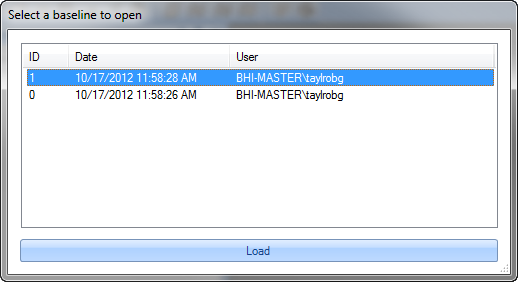
The baseline selection dialog click to enlarge
The .jewel solution files store a baseline each time the solution is saved. The result of these baselines is a type of versioning system which allows you to roll back to a previously saved solution state. A side effect of the baseline system is a file that can increase in size quickly, depending on the solution complexity. However, to save space you can use an option in the Solution Management tab of the Options form that cleans up baseline saves. For more information on this option, see Solution settings.
You can access the baseline selection dialog only when opening a file. Hold down Shift on your keyboard throughout the entire process to display the baseline selection dialog. From this dialog, you can open a prior baseline.