Creating and editing well events
You can create a new well event, or edit the details of an existing well event, for a wellbore in the Well Event Table (Views > Well Event Table). Optionally, use the context menu of the wellbore in the JewelExplorer, or in the 3D or 2D View, to create a new well event.
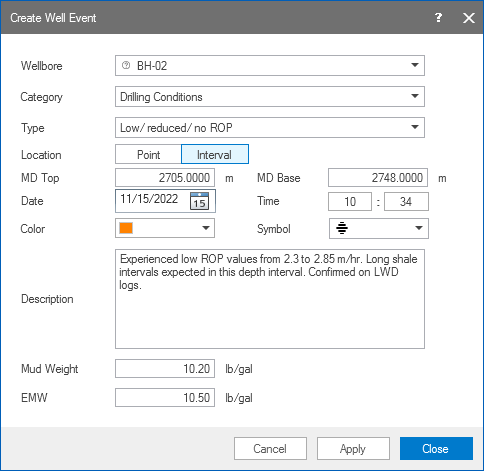
An example of a well event recording low ROP while drilling. click to enlarge
 Displaying a well event
- Make sure your active view supports the display of well events, i.e. the 2D View, 3D View or Cross Section View.
- First, make sure the wellbore of interest is displayed in the view.
- In the JewelExplorer, select the well event(s) that you want to visualize in the view. All the well events are listed under the Well Events folder under the well. The well events are sorted by depth (MD).
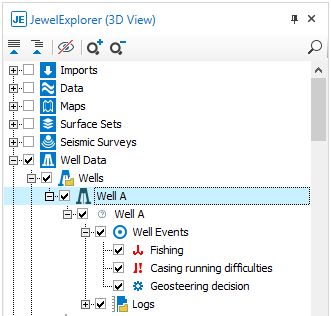
Well events listed in the JewelExplorer, and selected for display in the 3D View. click to enlarge