Linking camera
When camera linking is enabled, you can control your linked views simultaneously from a single view. You can change the rotation, panning, zooming and depth/area scaling, and they will be the same for all the linked views.
The camera linking can be used for 2D views, 3D views
You can only keep one type of views camera linked at the same time. For example, you can not camera link your 2D views while having your 3D views camera linked. In that case, the camera linking option for 2D views is disabled and is shown as grayed out.
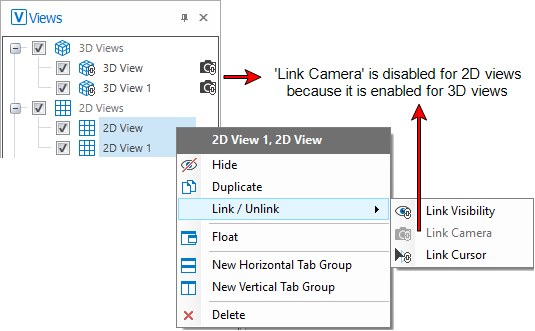
In this example, the camera linking option is disabled (grayed out) for 2D views because it is currently enabled for 3D views. click to enlarge
For more information, see View linking options.