LGR split definition
- On the LGR Split Definition form (modeling> 3D Grid > Modify Grid > Local Grid Refinement) select the grid that the local refinement should be applied to.
- (Optional: use either Lateral Splitting or Vertical Range) Specify the refinement factor in the I and J directions. The cell split is the same for each I and J stack in the grid. A refined stack can be refined further. You set the number of refinement levels on the LGR Creation form.
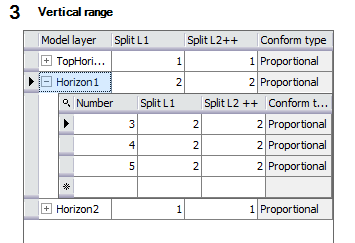
- (Optional: use either Lateral Splitting or Vertical Range) Specify the grid refinement in the vertical direction. This can be controlled per k-layer (see explanation below).
The table lists the zones as defined in the stratigraphic model. You can set a different refinement factor for the first refinement level ('Split L1') and for all deeper refinement levels ('Split L2++'). You set the number of refinement levels on the LGR Creation form, accessible via the next option under the Local Grid Refinement button.
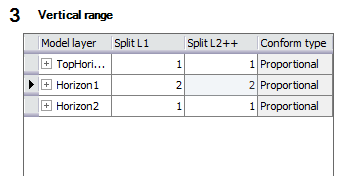
When you open a zone (click on the plus sign), all k-layers within that zone are shown. Their split settings are by default those of the zone, but you can set them individually for the first refinement level and the deeper refinement levels.