The Volume Reporting workflow
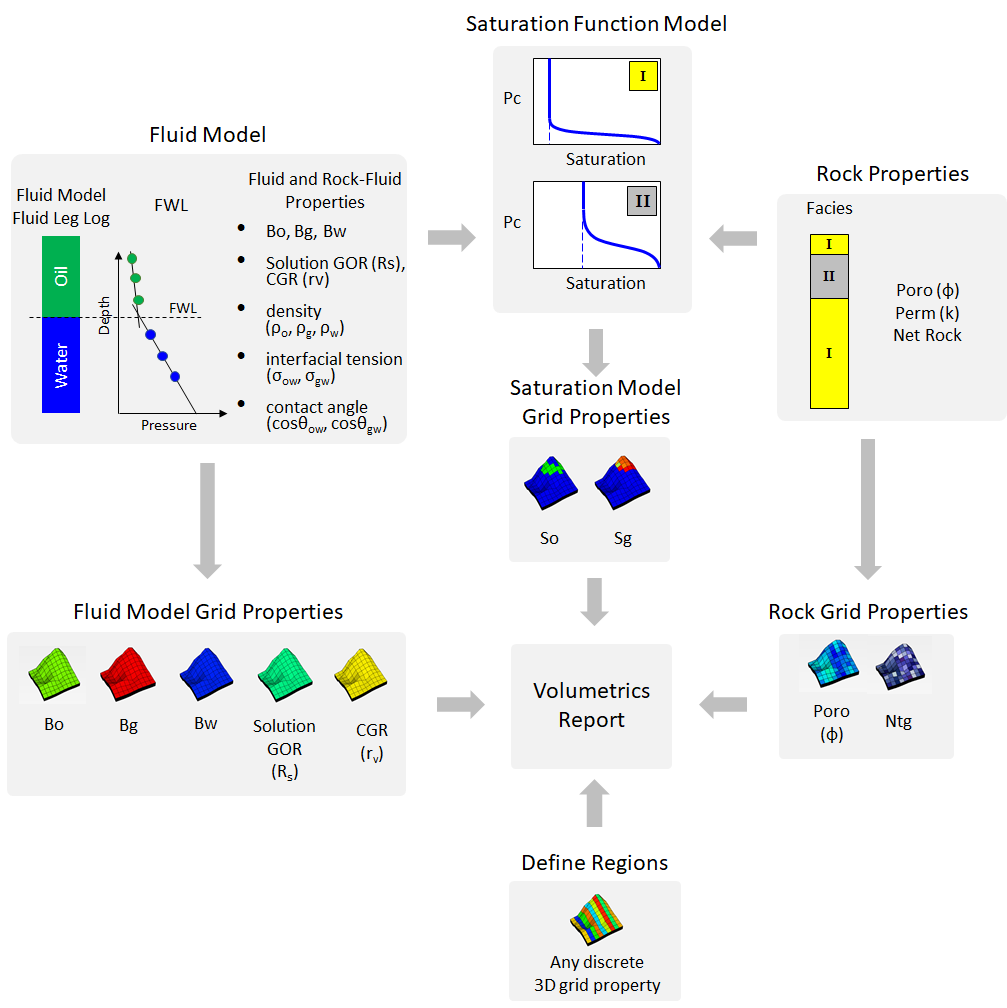
The volume reporting workflow. click to enlarge
The Volume Reporting workflow (model > Volumetrics) enables you to perform volumetric calculations and create a report based on the distribution of volumes for the regions of interest.
You can define the input parameters required for the volumetric calculations in the following ways:
- as 3D grid properties
- as manually entered constant values
- a combination of the two
After having defined all the required input, you can specify the regions for which a breakdown of the volumes will be reported. These regions are explicitly defined by using discrete 3D grid properties.
Once the volumetric calculation is completed, the following 3D grid properties will be added to the Volumetrics Case folder in the JewelExplorer, under 3D Grids > Your 3D Grid > Properties > Your Volumetrics Case: Fluid Legs, Region, GRV, NRV, NPV, Oil HCPV, and Gas HCPV.
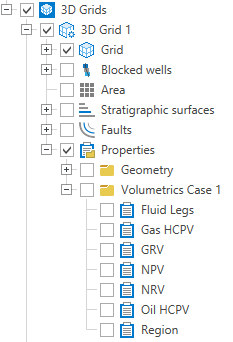
Once you assign regions, your volumetric case folder is created in the JewelExplorer. click to enlarge
Finally, you generate the Volumetrics Report which is displayed in the main view area. You can also have your results exported to an Excel™ spreadsheet. See Reported volumes and totals for an explanation of the terms and abbreviations used in the report. The properties that are input to the volumetric calculations are displayed in the Volumetrics Report under 'Data used to calculate volumes'.
 Probabilistic volumetric calculations
JewelSuite also allows you to perform probabilistic volumetric calculations. To do this, you need to specify at least one grid property with multiple realizations. The volumetric calculations will be performed and reported for each realization. The realizations which most closely approximate the specified probability ranges (e.g. P10, P50, P90) will be indicated in the Volumetrics Report.
The Volume Reporting workflow consists of the following steps:
Assigning data to a volumetric case
Defining 3D grid properties for a volumetric case