Creating a wellbore cross section
With the Wellbore Section form
To create a wellbore cross section:
- Open the form and select the Well group, Well and Wellbore for which you want to create the cross section.
- Specify the Extension distance with which the canvas is extended laterally beyond the end MD of the wellbore.
- Click Apply or OK. The section is added to the Cross Sections folder in the JewelExplorer. Check its box to visualize the section in the 3D View, or right-mouse click on the cross section and select Show cross section view from the context menu to visualize the cross section in the dedicated Cross Section View.
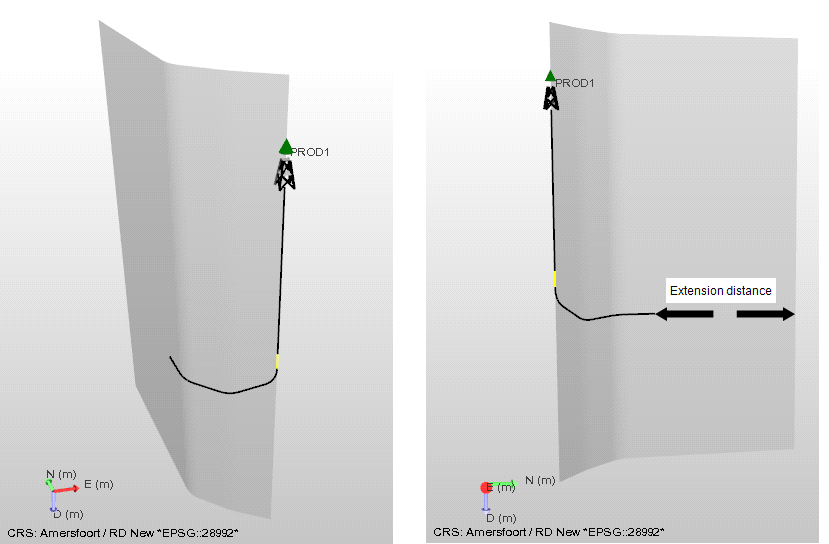
Example of a wellbore section in the 3D View. The wellbore section is a vertical section, which laterally follows the wellbore like a curtain. click to enlarge