Retracting polylines with the Structure Builder
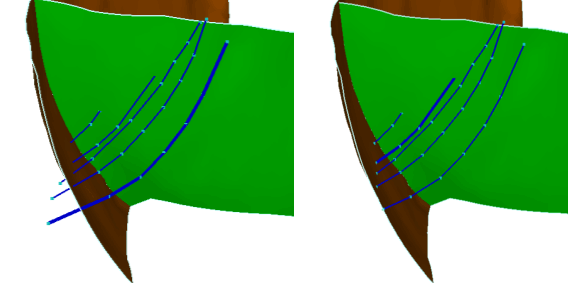
Polyline retract: Input polyline set and resulting polyline set click to enlarge
Use the Retract tool to retract polylines at their intersection with tri-meshes. Other means of handling polyline-tri-mesh intersections are available in the Structure Builder group.
- Select the polyline-tri-mesh intersection to modify. You can click the individual check boxes or right-click the list and make a selection from the context menu.
-
Change, select, or deselect the following values:
Retraction distance Defines the polyline segment length which may be removed from the intersection towards the end of the intersecting polyline.
Re-triangulate modified polyline sets Automatically re-triangulates the tri-meshes that are adjusted by the retraction process (recommended).
Recalculate intersections Automatically recalculates the polyline-tri-mesh intersections after the retraction process (recommended).
- Click OK to perform the retraction process.