Generating zones
After creating a stratigraphic model the next step is to populate it with zones. The application includes three different methods of creating zones by default, all of which are available on the Generate Zones form (prepare > Stratigraphy). You can choose to create zones manually, in which case you will use the functionality in the Edit Model form and Stratigraphic View for zone creation, or automatically generate zones from either a surface set, or seismic interpretation. As a third option you can generate zones from a marker set. When choosing to automatically generate zones you can select whether a surface set, seismic interpretation or marker set will be used, then select the level on which the zones will be generated.
Generating zones from existing data
The following steps describe the process when using either the Source or Marker set options to derive the zones. If you wish to create the zones manually, see Manual zone generation below.
- Select the stratigraphic model of interest in the Model drop-down list.
- Two options are available for generating the markers: Source and Marker set. The Source option uses a surface set or seismic interpretation as the basis for zone generation. The Marker set option allows you to use a marker set. After selecting the surface set, seismic interpretation or marker set from which the zones will be derived, specify the stratigraphic level you want to generate the zones on.
- Click OK to generate the zones. This also closes the Generate Zones form and opens the Edit Model form and Stratigraphic View. In the Stratigraphic View you can review the zones that were created and make changes as necessary. Alternatively, you can click Apply to generate the zones and keep the form open to perform additional work. If you already have a Stratigraphic View open, the view will update immediately upon clicking Apply. This allows you to quickly observe the differences in zone creation between different marker sets and/or seismic interpretations.
- Select the stratigraphic model of interest in the Model drop-down list.
- Select the Manual option.
- When generating zones manually you will interact with the Stratigraphic View and Edit Model forms to perform the work and no other action in the Generate Zones form needs to be taken. Click OK to open the Stratigraphic View and the Edit Model form so that you can manually create the zones. When you select this option for a new stratigraphic model, a single zone without any associated events is generated on level 1. To define zones, and add base and top events to these zones, you have to use the Stratigraphic View context menu. When you select the manual option for an existing stratigraphic model, the stratigraphic model will not change.
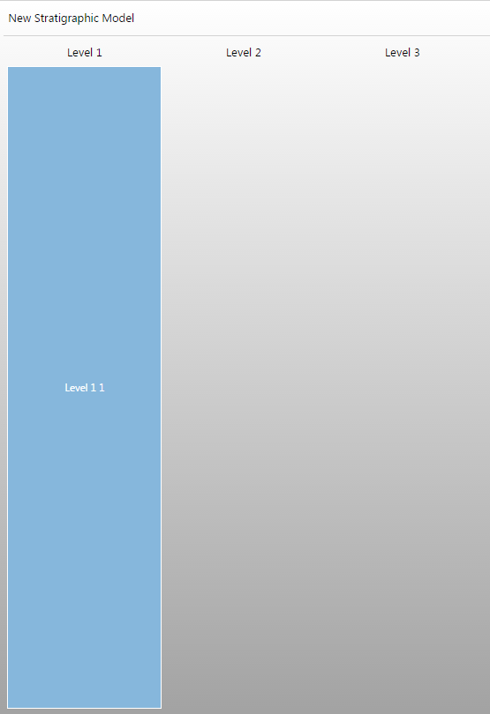
Generating zones manually for a new stratigraphic model will result in a stratigraphic model with one zone at level 1, which has no base or top event yet. click to enlarge