Meshing library settings
The meshing library is used when working with the following forms in the 3D Mesh strip:
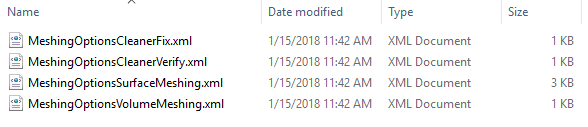
The setting files of the meshing library. click to enlarge
MeshingOptionsCleanerFix.xml This file is used in the Create Boundary step to associate the mesh boundaries to your surfaces in the model.
MeshingOptionsCleanerVerify.xml This file is used to check the surfaces in the model for valid intersections and quality of the triangles. The information is logged and can be reviewed in the Output Information pane. The options are the same as for the CleanerFix, but the actual cleaning has been disabled.
MeshingOptionsSurfaceMeshing.xml This file is used in the Mesh Surfaces step. Minor cleaning is applied and then the surfaces are re-triangulated to the specifications. The settings on the Set Element Sizes form are temporarily overwritten.
MeshingOptionsVolumeMeshing.xml This file is used in the Mesh Volume step in the 3D Meshing section. The setings on the Set Element Sizes form are temporarily overwritten.
MeshGems Cleaner parameters
folding angle Sets the threshold angle below which 2 connected triangles are considered overlapping. If your model contains sharp angles below this threshold that must be kept, reduce this value.
min hole size Sets the surface size threshold below which holes are filled. The default setting is 0, no holes are filled.
max elapsed time Sets the maximum elapsed time desired for treatment. The default setting is that there is no limit.
overlap angle Sets the angle below which 2 unconnected triangles are considered overlapping.
overlap distance Sets the distance below which 2 unconnected triangles are considered overlapping. The default value used is the resolution length.
remesh planes Inserts vertices on planes to improve the mesh quality.
required entities Sets the required entities processing. The accepted values are:
respect obey requirements.
clear remove all requirements.
resolution length Sets the minimal distance between two vertices, or between one vertex and an edge. If two vertices are closer than this distance, they will be considered the same vertex and will be “glued” together. The tolerance is currently set to 1 cm. This might too small for large models and too large for small scale models. Note you need to set the tolerance displacement to 1/5 of this size.
sewing tolerance Sets the surface size threshold below which sewing of gaps is performed. The default settings is gaps are not sewn.
split bridges Splits single contacts between two surfaces. It is strongly recommended not to use this option by default. In those specific cases that require this, the recommended and accepted values are:
start with value "no".
if the result is not satisfactory, use "only points".
if none of the above values provide acceptable corrections, use "all" or "only edges".
tags Sets if tags are used while processing the mesh. The accepted values are:
respect uses tags.
clear clears tags.
tolerance displacement Sets the displacement threshold below which modification is allowed and the distance below which vertices are glued together.
topology Sets the applicable fixing operations. The accepted values are:
ignore applies all fixing operations.
respect disables fixing operations which induce topology modifications.
use default settings for Changes the default settings assumption which is set for structural analysis cases (value "structure"). It can also be set for computational fluid dynamics with value "fluid". For fluid cases, the resolution length is set ten times smaller than for stucture cases ans agnles are set to 1 degree.
verbose Changes the verbositiy level of MeshGems-Cleaner, between 0 and 10. The higher it is, the more messages MeshGems-Cleaner will send through the message callback.
wires Sets if wires and volume verices are used while processeing the mesh. The accepted values are:
respect uses wires and volume vertices.
clear clears wires and volumes vertices.