Polyline set ASCII file format
OBJECT POLYLINESET Name
[CRS Authority Code Name HorizontalUnit]
[CSYSTEM Easting Northing TVDSS Inclination Azimuth]
[UNITS EastingUnit NorthingUnit VerticalUnit InclinationUnit AzimuthUnit]
[COLOR Red Green Blue [Alpha]]
[UNKNOWN UnknownValue]
[TYPE Type]
POLYLINE
Easting Northing TVDSS
....
POLYLINE
Easting Northing TVDSS
....
| Keyword | Description | Optional | Comment |
|---|---|---|---|
|
POLYLINESET |
Specifies the object type in this file |
No |
One value is expected: 1. Name of the polylineset |
|
TYPE |
Specifies the type of polyline set |
Yes |
One value is expected: 1. Type (Default = HORIZON) When this keyword is not included, the default type is applied |
|
POLYLINE |
Specifies the start of a new polyline in the polyline set |
No |
No additional values are expected |
Variables
| Variable | Description | Type | Min | Max | Comment |
|---|---|---|---|---|---|
|
Type |
Type of Polyline set |
int |
0 |
4 |
0 = UNDEFINED 1 = FAULT 2 = HORIZON 3 = UNCONFORMITY 4 = INTRUSION 5 = FLUID CONTACT 6 = PROPERTY 7 = FRACTURE 8 = BED BOUNDARY 9 = MICROSEISMIC 10 = MAP 11 = BOUNDARY 12 = FAULT POLYGON 13 = FAULT CENTERLINE 14 = LINE
|
|
Northing |
Northing polyline node location |
double |
- |
- |
|
|
Easting |
Easting polyline node location |
double |
- |
- |
|
|
TVDSS |
TVDSS polyline node location |
double |
- |
- |
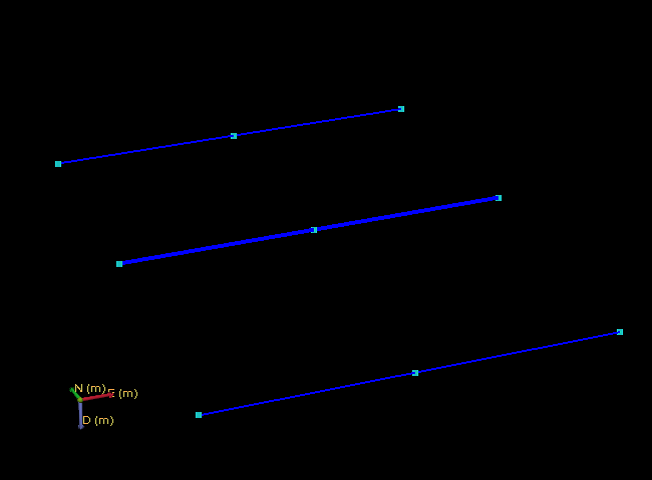
Example 1
OBJECT POLYLINESET PolylineSet1
CRS EPSG 2222 "NAD83 / Arizona East (ft)" ft
CSYSTEM 569000 168000 1600.0 0.0 0.0
UNITS m m m deg deg
COLOR 0 0 255 255
TYPE 2
POLYLINE
250 250 200
250 1500 200
250 2750 200
POLYLINE
2000 250 100
2000 1500 100
2000 2750 100
POLYLINE
3750 250 150
3750 1500 150
3750 2750 150
click to enlarge
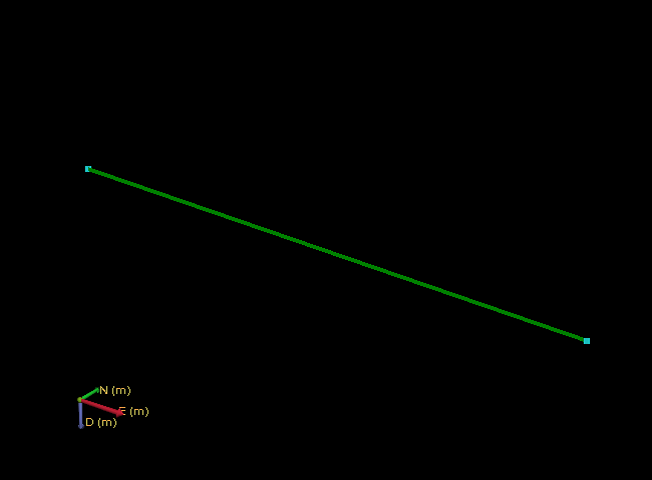
Example 2 (minimum / all optional fields left out)
OBJECT POLYLINESET PolylineSet2
POLYLINE
250 250 200
250 1500 200
click to enlarge