Copying properties between 2D grids
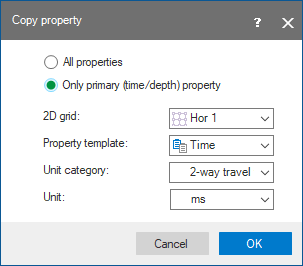
click to enlarge
When 2D velocity grids have been imported from external sources, the imported property will be treated as being depth (or time). In order to use these velocities in depth conversion the ‘depth’ (or time) property must be copied to the corresponding base surface time horizon using the ‘copy property’ method.
This option is available in the context menu of 2D grids and called Copy property to… and Move property to…. Selecting one of these options opens the Copy property or Move property form. On the form, a target 2D grid and property/all properties must be selected, as well as the property's unit and template. It is only possible to move/copy properties to 2D grids that have the same location, azimuth, and dimensions; other 2D grids will appear in the form.
If 2D grid dimensions differ, then you can use the Property Calculator functions instead.