Types of data you can import
The following is an overview of the data types that you can import:
Seismic data
click to enlarge
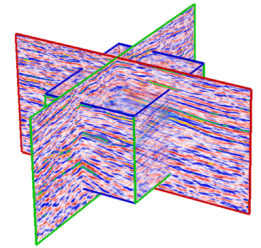
You can import Paradigm GOCAD™ VoxelGrids and SEG-Y files, along with proprietary file types (JOA Seismic and JOA VoxelGrid ASCII). Both 2D and 3D seismic data are covered. Typically, seismic data will be used as a background for seismic interpretation and/or to guide the geological modeling.
Well data
click to enlarge
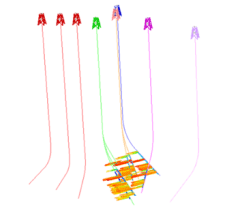
Importing well data such as well surveys, logs and markers can be done through the Data > Wells sub-strip. All major industry standard formats are supported as well as plain text formats and user-defined column files.
Horizon and fault data
2D grids
click to enlarge
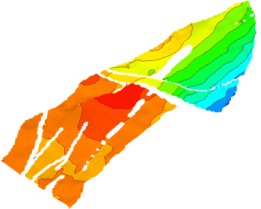
2D grids have a regular rectangular or square organization or spacing of surface data. Horizons from seismic interpretations typically fall into this category, with each value of the grid representing seismic time or depth. This is also applied to the surfaces imported from other applications.
JewelSuite grids also support the inline and crossline lattice. When importing jewel format files where the lattice is set this will also be imported and set.
Apart from seismic time or depth data, 2D grid data is used for constructing trend maps for velocity values (for use in time/depth conversion), porosity, permeability, and many other properties.
Tri-meshes
click to enlarge
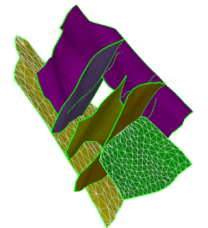
A tri-mesh is a group of connected triangles that make up a complete 3D surface.The use of tri-meshes allows the modeling of complex geological structures and geometries. Triangulated surfaces are required for building the entire reservoir grid using Jewel Gridding technology.
Polyline sets (fault sticks)
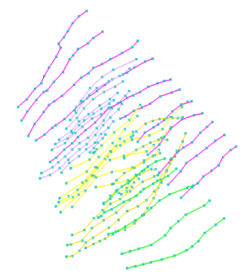
Polyline sets are lines and nodes that represent the manual or automatic interpretation of seismic data in the form of horizons and faults. Polyline sets can be used to create 2D grids or tri-meshes.
Point sets
click to enlarge
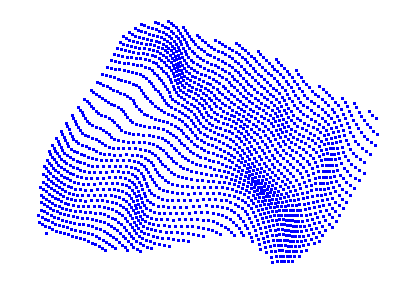
A point set is a set of nodes in 3D space that represents the curvature and outline of horizons, faults, intrusions and unconformities
3D grid data
click to enlarge
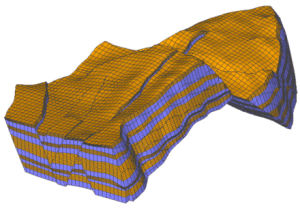
3D grids represent the subsurface reservoir data in complete 3D form (width, length and depth). They have regular arrangements of cells in various directions. Each cell typically contains one or more properties, such as porosity, layer number, thickness or volume. The JewelGrid is used when building 3D models. Regular IJK grids can also be used, providing compatibility with other reservoir modeling tools.
3D mesh data
Unlike 3D grids, 3D meshes contain nodes that form tetrahedral elements to construct the entire volume and are used primarily for geomechanical simulations.
Production data
This data includes historical field data and well data such as field production and well production rates. You can import and use this data for history matching in reservoir simulation.
Miscellaneous data
Area
You can import JewelSuite area files you have previously exported.
Geographic Features
click to enlarge
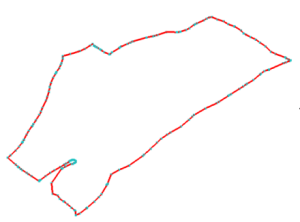
Features are used to define boundary lines and contours. Stored in Feature Sets, they are collection of nodes and lines.
Images
click to enlarge
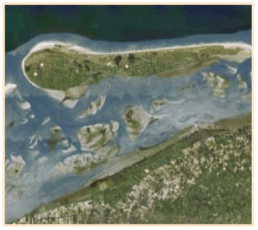
These include standard image files, such as *.bmp, *.jpeg, *.gif, and *.png. You could, for example, import satellite images or aerial photography and display them in your 3D and 2D views to aid you in your modeling work.
Fracture data
You can import fracture data from properly formatted data files stored in common formats like Golder DFN, MFrac™ Fracture Files, and Serco NAPSAC™ DFN.
Microseismic data
click to enlarge
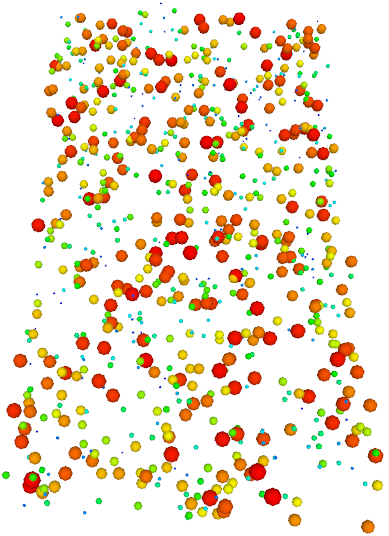
You can import the microseismic data using the Microseismic Import Workflow (DATA > Microseismic > Workflow). The dataset consists of microseismic events recorded over a period of time as well as the production treatment data.