Input table form
The input table form is very similar to the input table in that cell contents may be entered, edited, and copied. This section will only describe features of the input table form that are different from the input table.
Instead of rows of data in columns with column headers, the input table form has a single column of data with row headers. The input table form is used where the data to be entered for a specific parameter only needs to be defined once, where as data entered into the input table may describe multiple values for a single parameter.
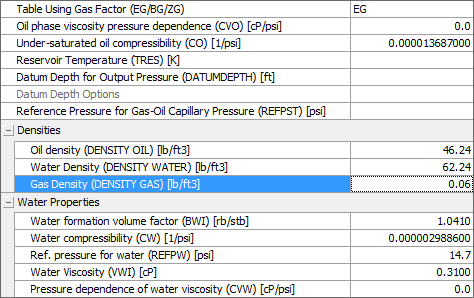
Parameters input form of the PVT view, an example of an input table form click to enlarge
Row types
There are three types of rows in the vertical grid control: category rows, edit rows and multi-edit rows.
The category row is descriptive and is used to organize other rows into groups. The grouped rows can be hidden or expanded using a button on the right of the row.
The edit row allows data entry for a cell. The cell can have any one of the cell editors described for the grid control.
The multi-edit row is similar to the edit row except that more than one cell appears on a row.
Selection
Selection in the vertical grid can be either single cell or a column of cells. A single cell is selected by clicking on the cell. A column of cells is selected by clicking on a cell and dragging to another cell. All the cells between the initial cell and the final cell will be selected. Selection will stop when a category row is encountered.