Loading / creating velocity cubes
Velocity cubes can be loaded as SEG-Y data just as any other seismic attribute. If velocity functions (stacking or migration velocities) are available in simple column-based ASCII formats (e.g., x, y, twt, Vavg) then load such data as polylines (Data import > Polyline Data File type ‘User-defined Formatting for Column Files’, predefined columns format ‘1 Polyline Set (X, Y, Z, Id), Properties’ or ‘1 Point Set (X, Y, Z, Id), Properties’; the polyline set option may be a bit more attractive as the loaded data can be viewed with a connecting line.
The property of such polyline sets (or point sets) can then be mapped using Calculator functionality into an existing 3D seismic cube or into a separate more coarsely sampled velocity cube (see Calculator hints below). Details on how to set up a dedicated velocity cube can be requested from the JewelSuite Subsurface Modeling support desk.
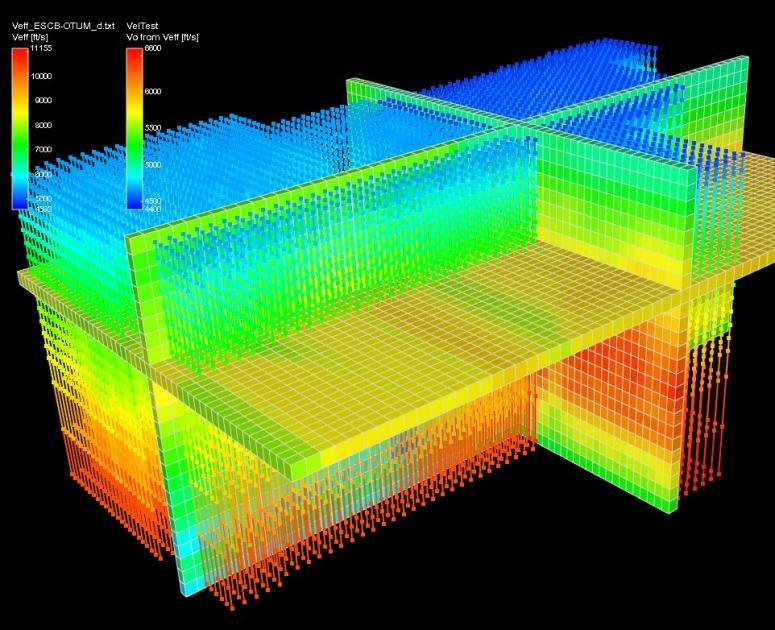
Example of velocity functions and regularly sample velocity cube in JewelSuite Subsurface Modeling click to enlarge