Property extraction functions
Properties from the various objects in the application, such as grids and surfaces, can be extracted using the property extraction functions. The 'various objects' are specified in the property extraction function as shown below. The extraction functions can be found the 'Functions and Variables' area of the Property Calculator (for the different areas on the Property Calculator form, see The Property Calculator).
General remarks
A property can be extracted, even when the selected object and specified object are not intersected. The nearest point of the specified object will be used for property estimation.
The object name parameter can contain a list of names. For example, the object name can be one of the following – “WellBore1, WellBore2”. If all objects of the corresponding type are used, then the parameter can be specified as “all”.
The parameters x, y, z are not obligatory. If they are specified, then the function searches the nearest point using projection of all nodes on plane with normal x, y, z. If x, y, z are not specified, then the function simply searches the nearest point.
The PropertyExtraction function works in the same way as other functions in accordance with the specified type. The object type can be one of the following: 3D grid, seismic volume, well marker, 2D grid, tri-mesh, polyline set, wellbore, point set and 3D mesh. Also, this function can work with different object types, for instance wellbore and tri-mesh: Property Extraction (wellBore, "Depth", triMesh, "SDepth").
Interpolation methods in the expressions
Property extraction functions can interpolate property values using several nearest nodes or all nodes of specified object. Inverse distance weighted method, ordinary kriging with different covariance functions (exponential power, spherical, exponential, Gaussian) and least square linear interpolation are supported. For some object types, linear and cubic interpolations are available as well.
Inverse distance weighted method
Function(InverseDistWeight, power, maximum number of nearest nodes, scale X factor, scale Y factor, scale Z factor, rotation around X axis, rotation around Y axis, rotation around Z axis, "Object name", "Property name", …)
Last parameters can be “x, y, z” in case projection on plane is used. "Filter property” and “Filter property class” must be specified in case the filter function is used. Rotation angles must be specified according with calculator GUI state (Degrees or Radians). All default parameters before “Object name” can be skipped. Expression examples:
Grid(InverseDistWeight, "Field2, Field1", "Cell Center Depth")
Mesh3D(InverseDistWeight, 3, 20, "FE-Model", "Depth")
Grid(InverseDistWeight, 3, 20, 1, 2, 2, "Field2", "Cell Center Depth")
TriMesh(InverseDistWeight, 2, 20, 1, 2, 3, 20.00, 10.00, 45.00, "H", "C", 0, 0, 1)
PropertyExtractionFiltered(InverseDistWeight, 2, 20, 1, 2, 3, 20.00, 10.00, 45.00, grid, "F", "Depth", "ZoneId_level_1", "Genea_1")
PropertyExtractionPerClass(InverseDistWeight, 2, 20, 1, 2, 3, 20.00, 10.00, 45.00, grid, "F", "Depth", "ZoneId_level_1")
Examples – 32, 33, 34.
Kriging
Function(OrdinaryKriging, power, trend type, maximum number of nearest nodes, range in x direction, range in y direction, range in z direction, rotation around X axis, rotation around Y axis, rotation around Z axis , "Object name", "Property name", …)
Function(OrdinaryKriging, spherical, trend type, maximum number of nearest nodes, range in x direction, range in y direction, range in z direction, rotation around X axis, rotation around Y axis, rotation around Z axis, "Object name", "Property name", …)
Function(OrdinaryKriging, exponential, trend type, maximum number of nearest nodes, range in x direction, range in y direction, range in z direction, rotation around X axis, rotation around Y axis, rotation around Z axis, "Object name", "Property name", …)
Function(OrdinaryKriging, Gaussian, trend type, maximum number of nearest nodes, range in x direction, range in y direction, range in z direction, rotation around X axis, rotation around Y axis, rotation around Z axis, "Object name", "Property name", …)
Last parameters can be “x, y, z” in case projection on plane is used. "Filter property” and “Filter property class” must be specified in case filter function is used. Rotation angles must be specified according with calculator GUI state (Degrees or Radians). Rotation angles can be skipped in case they are equal to 0.0. Trend type parameter can be skipped in case trend is not used. Expression examples:
Marker(OrdinaryKriging, 2, 40, 1000, 1000, 1000, "M", "Ahd")
Marker(OrdinaryKriging, spherical, XY_trend, 40, 1000, 2000, 1000, 20.00, 0.00, 0.00, "M1, M2, M3", "Ahd", 0, 0, 1)
TriMesh(OrdinaryKriging, exponential, 40, 1000, 1000, 3000, 0.00, 0.00, 30.00, "H", "A", 0, 0, 1)
Grid(OrdinaryKriging, Gaussian, XY_trend, 40, 1000, 1000, 2000, 0.00, 0.00, 30.00, "Field2", "C", 0, 0, 1)
Kriging type can be one of the following – spherical, exponential, exponential power, gaussian.
Examples – 35, 36, 37.
Least square linear interpolation
Function(LeastSquare, trend type, maximum number of nearest nodes, "Object name", "Property name", …)
Last parameters can be “x, y, z” in case projection on plane is used. "Filter property” and “Filter property class” must be specified in case filter function is used. Expression examples:
PropertyExtraction(LeastSquare, Y_trend, 40, marker, "New Marker", "Depth", 0, 0, 1)
Grid(LeastSquare, XYZ_trend, 40, "Field", "Porosity")
Examples – 38.
Linear and cubic interpolations
Interpolation type can be one of the following – linear, cubic, spline:
Function(Linear, smoothed, withoutextrapolation, "Object name", "Property name", …)
Function(Cubic, smoothed, withoutextrapolation, "Object name", "Property name", …)
Function(Spline, smoothed, withoutextrapolation, "Object name", "Property name", …)
Cubic and linear interpolations are available for polyline set, tri-mesh, 2D grid, and seismic volume. Spline interpolation is available for polyline set. These functions use nearest element (segment, triangle, or cell) of the specified object. Interpolation takes place inside nearest element using the obtained location. The result is set to undefined (null) value in case a flag withoutextrapolation is typed, and the nearest location lies on the element boundary. Extrapolation is used to estimate result in case the flag withoutextrapolation is not typed. Smoothed flag manages interpolation for several objects (use averaged value or use only one nearest element). For interpolation inside 3D-mesh element, the following type must be specified - interpolate. Expression examples:
Grid2D(Linear, "HorizonA", "Depth")
Grid2D(Linear, smoothed, "HorizonA, HorizonB, HorizonC", "Depth")
TriMesh(Linear, smoothed, withoutExtrapolation, "HorizonA", "Depth")
Seismic(Cubic, "Genea.segy.joaseismic", "Seismic Amplitude")
PolyLineSet(Spline, "PY1", "Property Calculator", 0, 0, 1)
Mesh3D(interpolate, "FE-Model", "P ")
Examples – 39 - 45.
Example 26 Map Grid property onto a tri-mesh
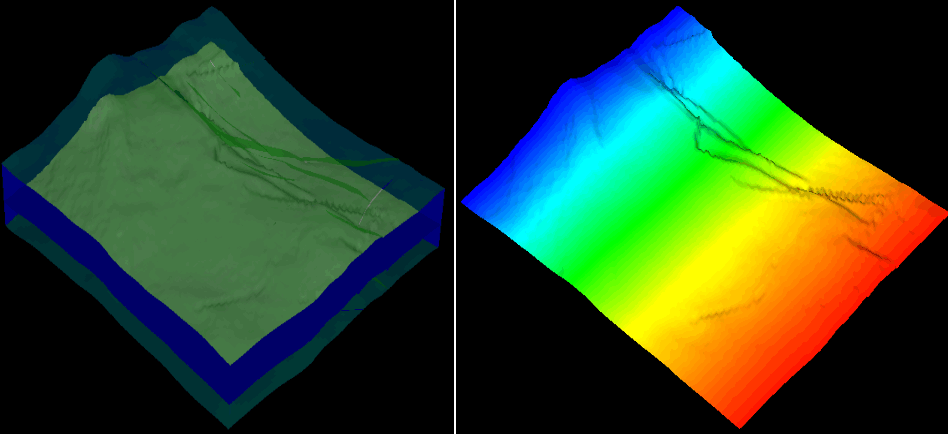
Grid("Grid1", "North") click to enlarge
Example 27 Map seismic attribute onto a tri-mesh
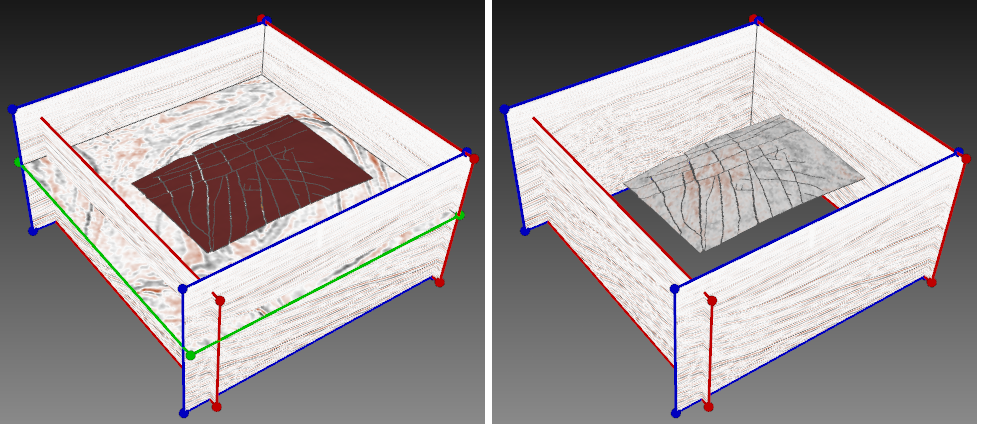
Seismic("Phase+90Depth", "Seismic Attribute") click to enlarge
Example 28 Map marker property onto a geological grid
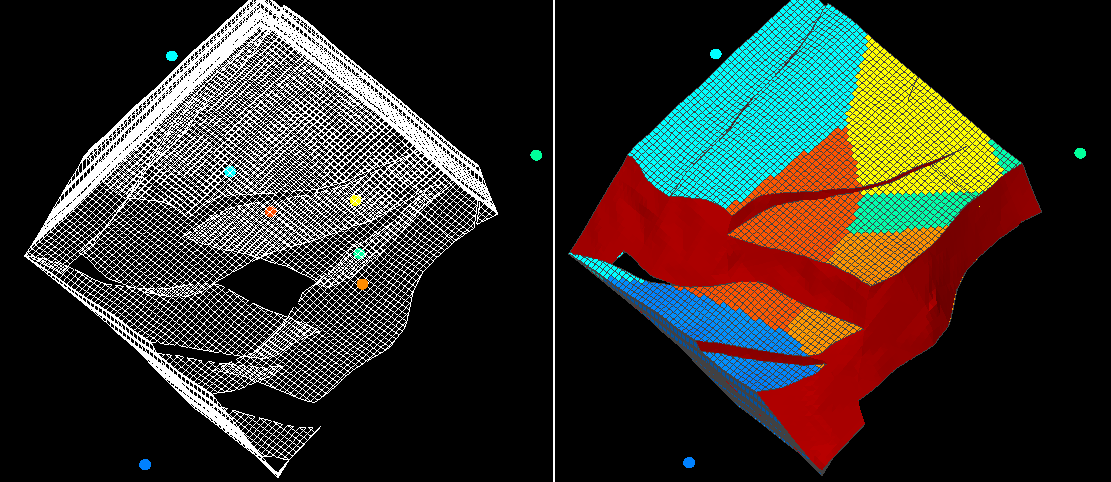
PropertyExtraction(marker, "E base", "DepthD",0,0,1) click to enlarge
Example 29 Log value at depth of current property location
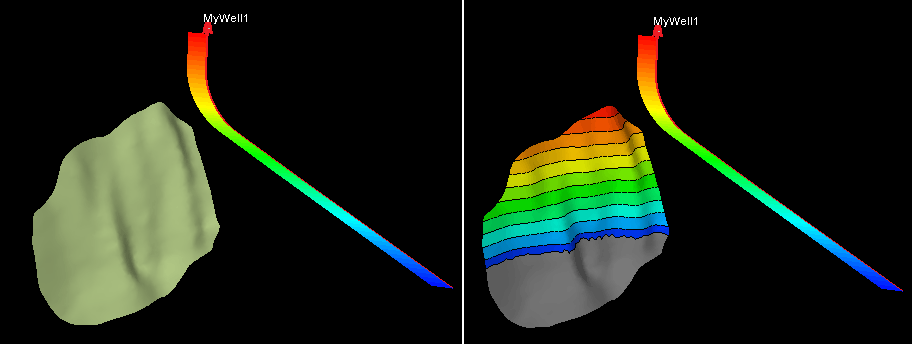
LogValueAtDepth("MyWell1", "TVDSS") click to enlarge
Example 30 Property extraction using upscaling
Map seismic property on geological grid.
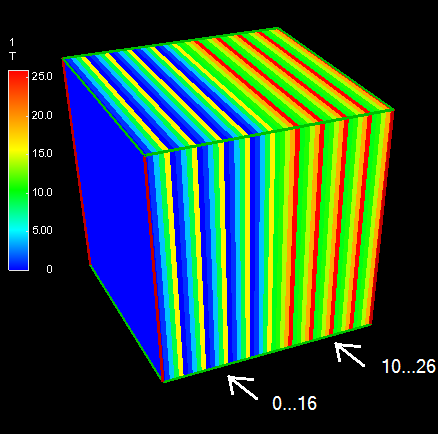
Seismic volume
if(voxelNorthIndex < 25 ) then
(voxelNorthIndex mod 5) * (voxelNorthIndex mod 5) else
(voxelNorthIndex mod 5) * (voxelNorthIndex mod 5) + 10 click to enlarge
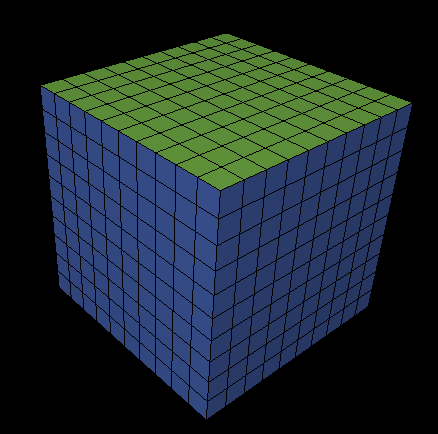
Geological grid click to enlarge
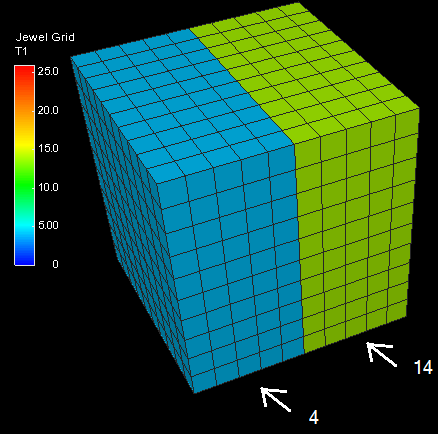
PropertyExtraction(seismic, "1", "T") click to enlarge
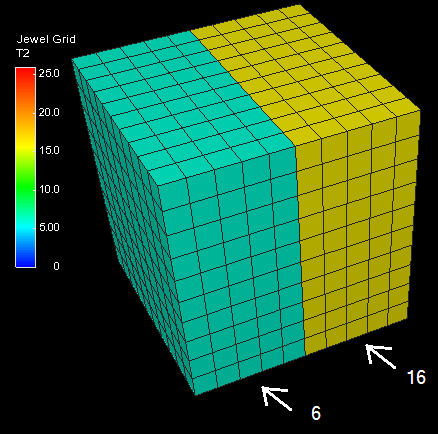
PropertyExtractionUpscaleNode (AMean, seismic,"1","T") click to enlarge
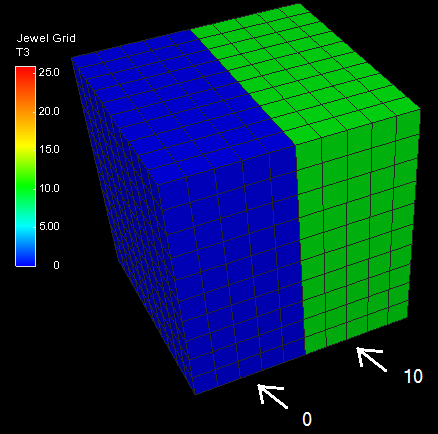
PropertyExtractionUpscaleNode (Min, seismic,"1","T")
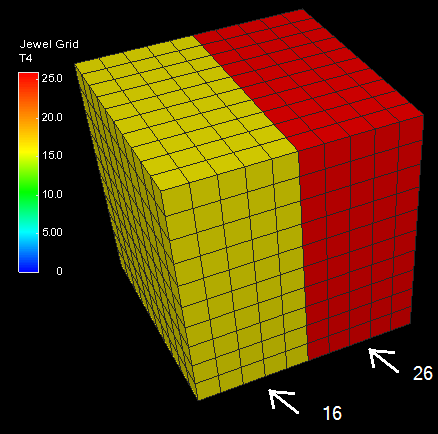
PropertyExtractionUpscaleNode (Max, seismic,"1","T") click to enlarge
Example 31 Not null property extraction (tri-mesh lies on top of grid)
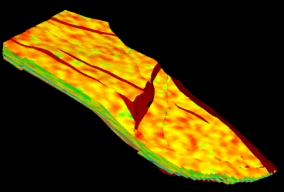
$P$ click to enlarge
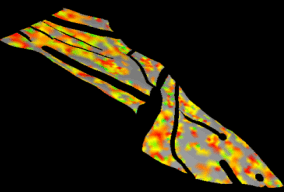
PropertyExtraction (grid, "Grid", "P") click to enlarge
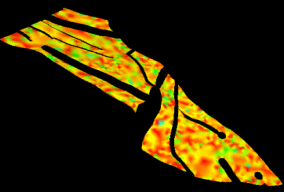
PropertyExtracctionNotNull(grid, "Grid", "P”) click to enlarge
Example 32 Set 2D grid depth equal to specified layer depth
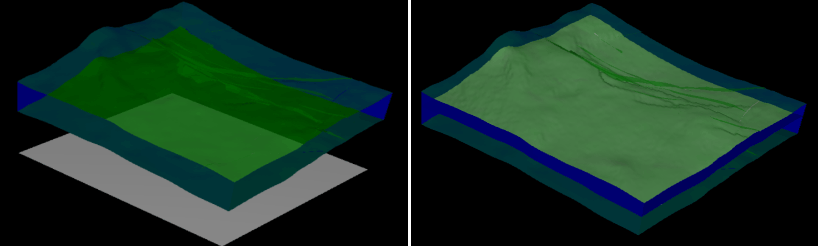
PropertyExtractionFiltered(grid, "All_Units_1layer", "Cell Center Depth", "LayerId", "K=12", 0, 0, 1) click to enlarge
Example 33 Comparison simple extraction and 'per class' extraction
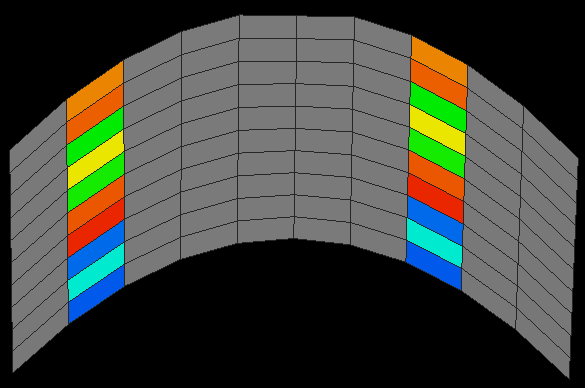
Test property click to enlarge
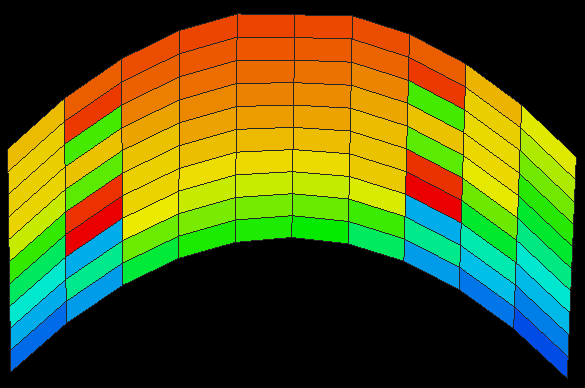
PropertyExtractionNotNull(OrdinaryKriging, 1, -1, 1000, 1000, 1000, grid, "Jewel Grid", "Test") click to enlarge
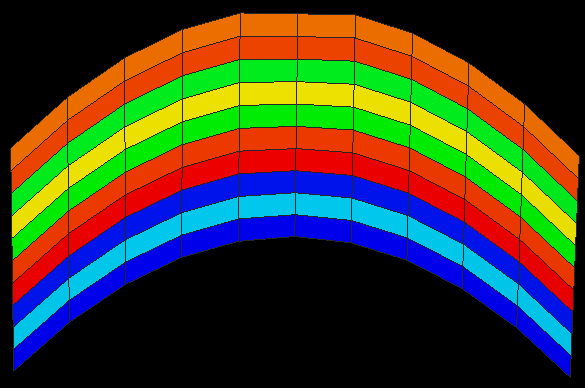
PropertyExtractionPerClass(OrdinaryKriging, 1, -1, 1000, 1000, 1000, grid, "Jewel Grid", "Test", "LayerId") click to enlarge
Example 34 The influence of power on distance weight interpolation
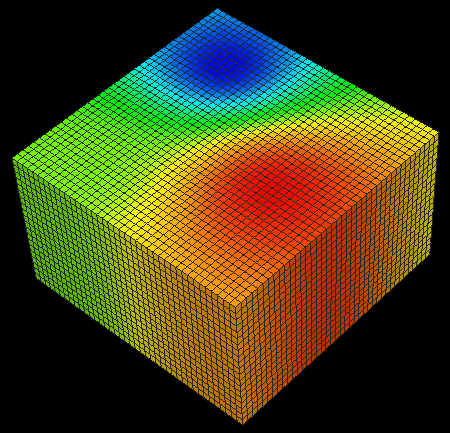
Marker(InverseDistWeight, 2, 40, "4", "Depth")
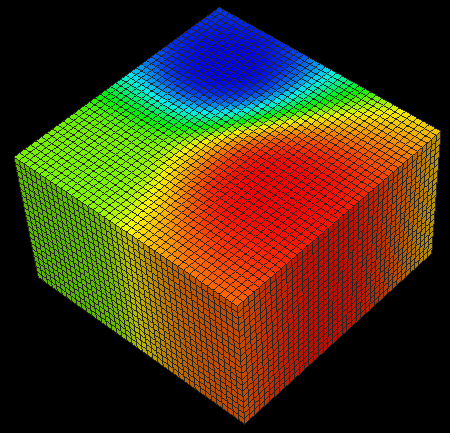
Marker(InverseDistWeight, 3, 40, "4", "Depth")
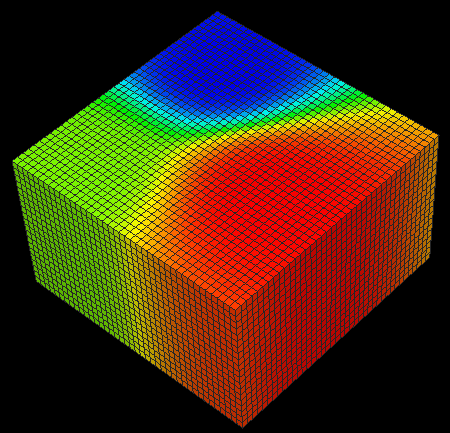
Marker(InverseDistWeight, 4, 40, "4", "Depth")
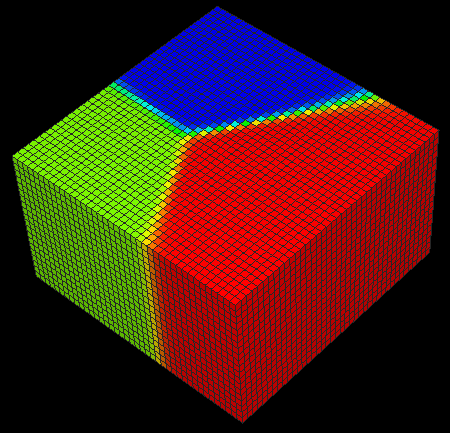
Marker(InverseDistWeight, 20, 40, "4", "Depth")
Example 35 The influence of scale factors on distance weight interpolation
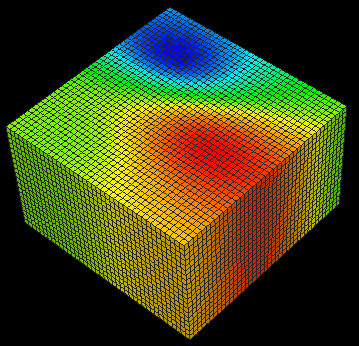
Marker(InverseDistWeight, 2, 40, 1, 1.5, 1, "4", "Depth")
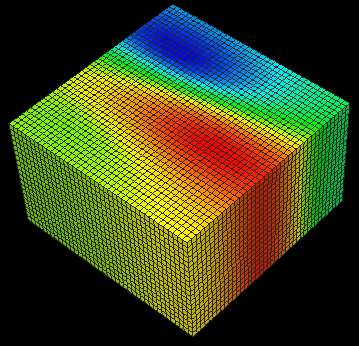
Marker(InverseDistWeight, 2, 40, 1, 2.5, 1, "4", "Depth")
Example 36 The influence of axes rotation on distance weight interpolation
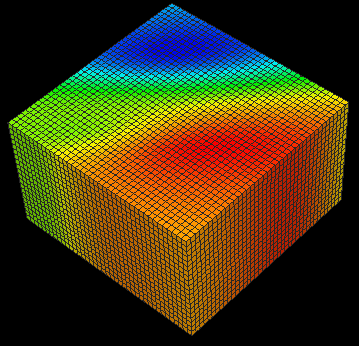
Marker (InverseDistWeight, 2, 40, 1, 2.5, 1, 0, 0, 45, "4", "Depth")
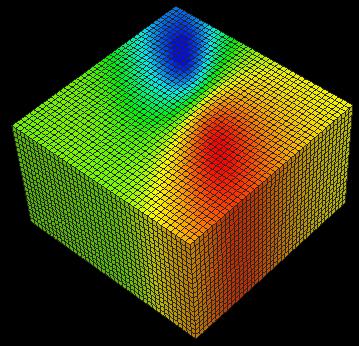
Marker(InverseDistWeight, 2, 40, 1, 2.5, 1, 0, 0, -45, "4", "Depth")
Example 37 The influence of power on kriging
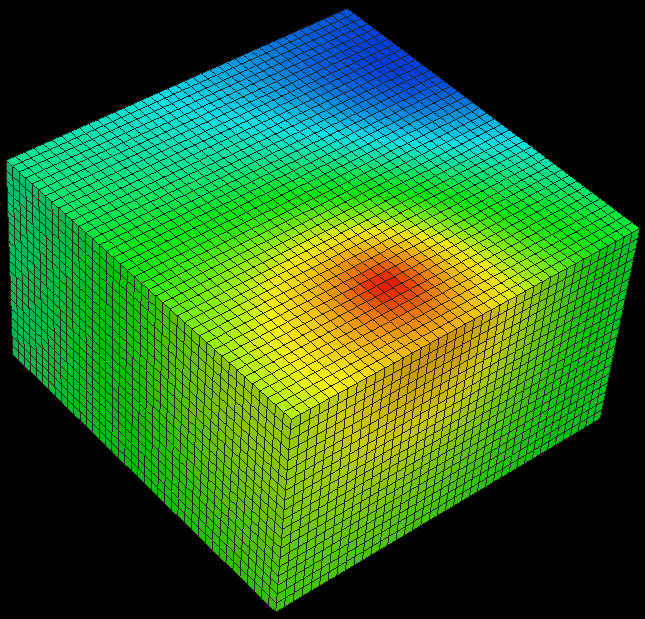
Marker(OrdinaryKriging, 0.5, 0, 400, 400, 400, "4", "Depth")
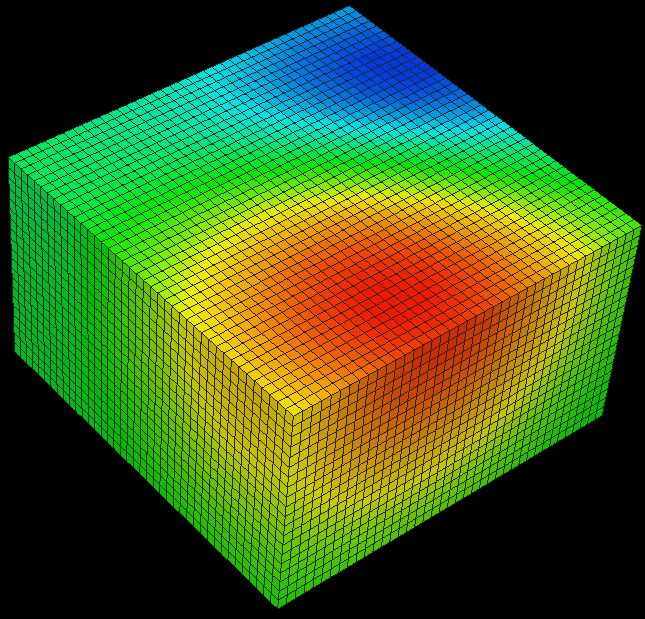
Marker(OrdinaryKriging, 2, 0, 400, 400, 400, "4", "Depth")
Example 38 Different kriging types
Marker(OrdinaryKriging, 0.5, 0, 400, 400, 400, "4", "Depth")
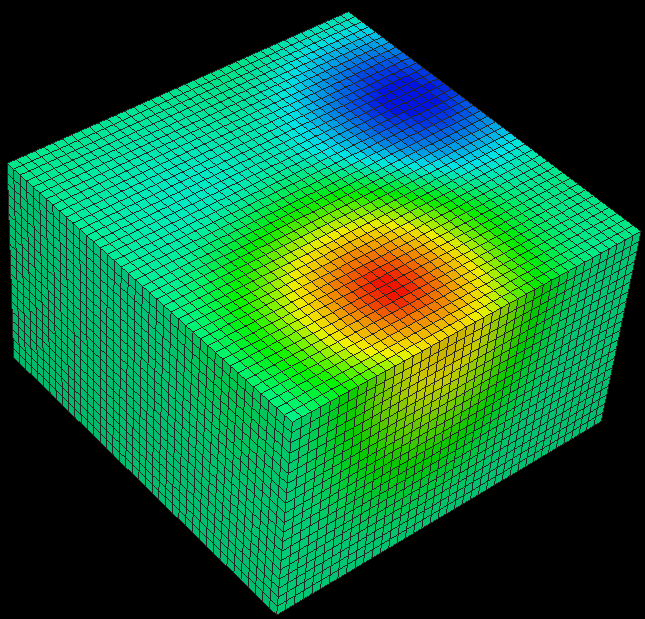
Marker(OrdinaryKriging, spherical, 0, 500, 500, 700, "4", "Depth")
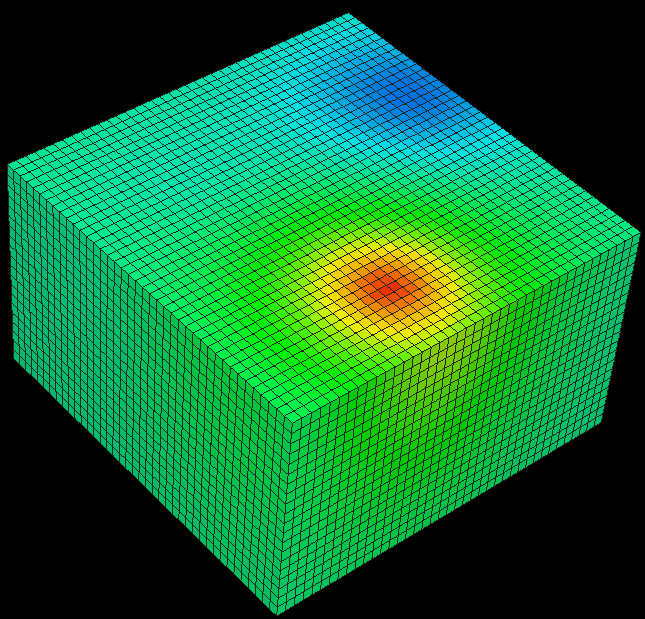
Marker(OrdinaryKriging, exponential, 0, 500, 500, 700, "4", "Depth")
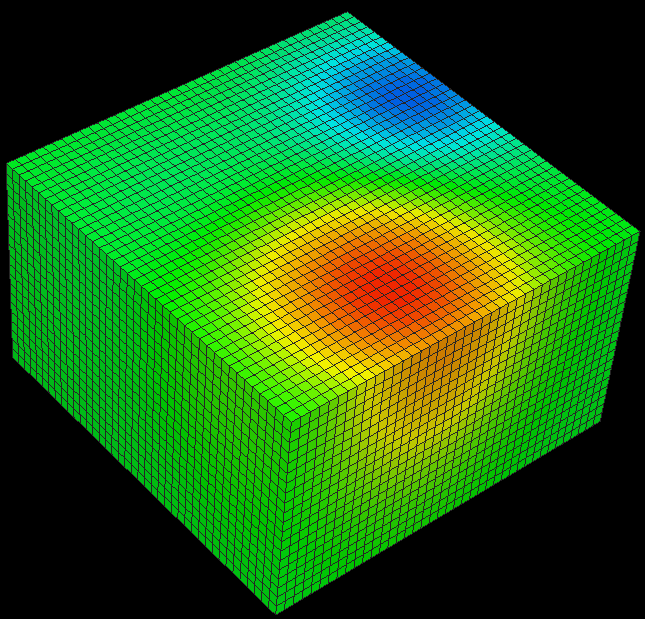
Marker(OrdinaryKriging, Gaussian, 0, 500, 500, 700, "4", "Depth")
Example 39 Using trend in kriging. Extract depth from markers to tri-mesh
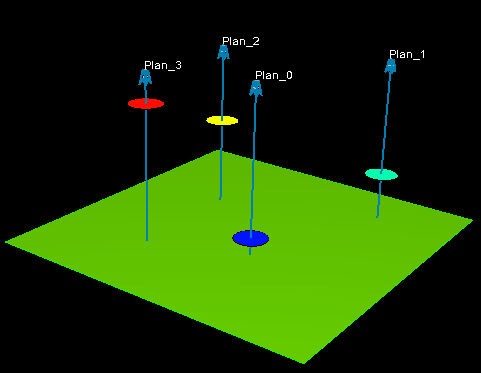
click to enlarge
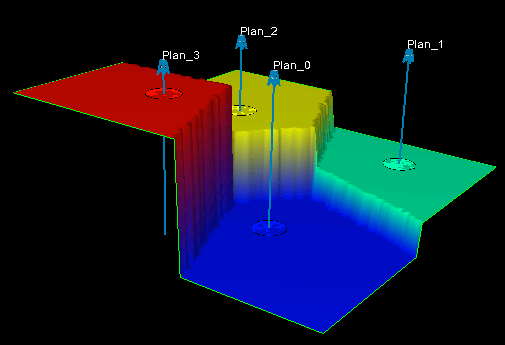
PropertyExtraction(marker, "Marker", "Depth", 0, 0, 1)
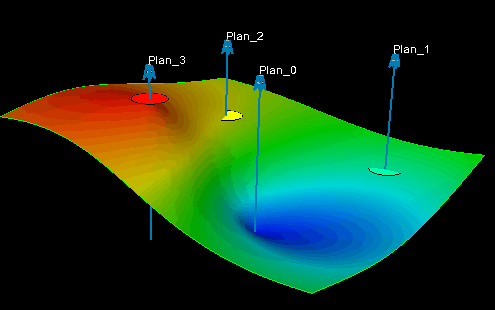
PropertyExtraction(OrdinaryKriging, spherical, 40, 1000, 1000, 1000, Marker, "Marker", "Depth", 0, 0, 1)
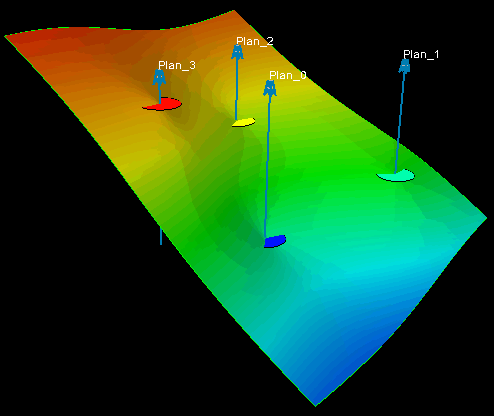
PropertyExtraction(OrdinaryKriging, spherical, XY_trend, 40, 1000, 1000, 1000, Marker, "Marker", "Depth", 0, 0, 1)
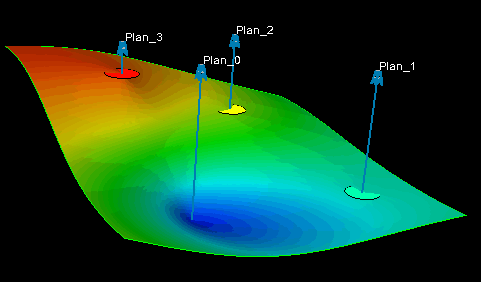
PropertyExtraction(OrdinaryKriging, spherical, Y_trend, 40, 1000, 1000, 1000, Marker, "Marker", "Depth", 0, 0, 1)
Example 40 Least square linear interpolation with different number of neighbors
Comparison with kriging and nearest neighbor.
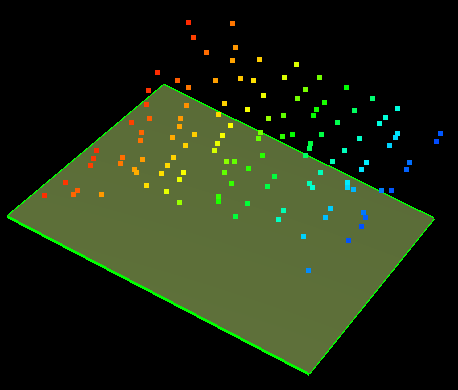
Tri-mesh and point set click to enlarge
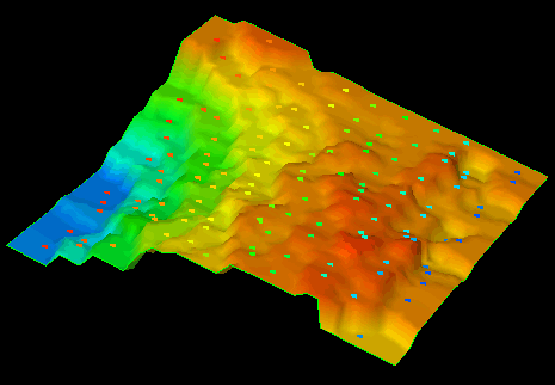
PointSet("A", "Depth", 0, 0, 1) click to enlarge
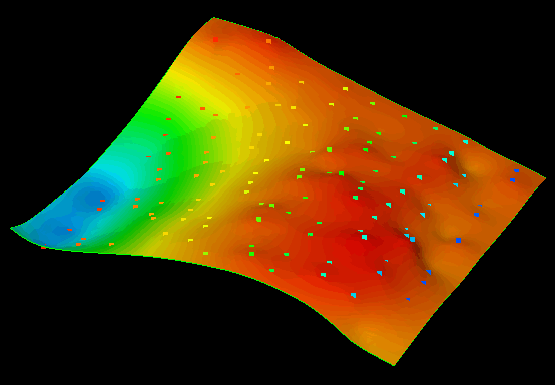
PointSet(OrdinaryKriging, exponential, -1, 1000, 1000, 1000, "A", "Depth", 0, 0, 1) click to enlarge
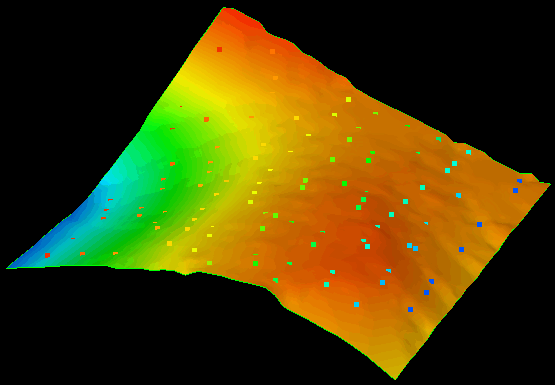
PointSet(LeastSquare, XY_trend, 10, "A", "Depth", 0, 0, 1) click to enlarge
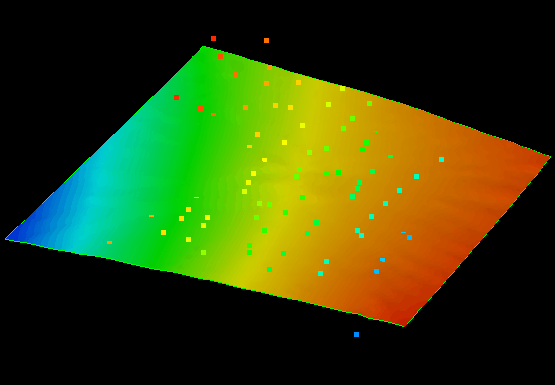
PointSet(LeastSquare, XY_trend, 100, "A", "Depth", 0, 0, 1) click to enlarge
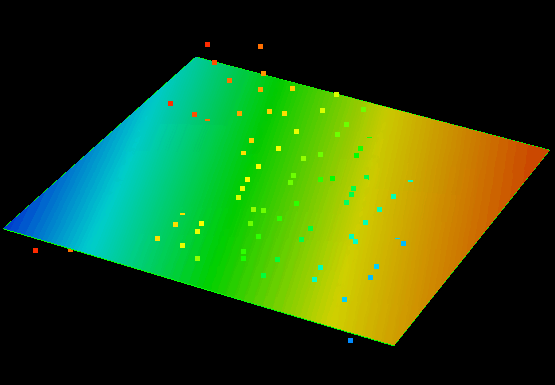
PointSet(LeastSquare, XY_trend, -1, "A", "Depth", 0, 0, 1) click to enlarge
Example 41 Polyline set interpolations
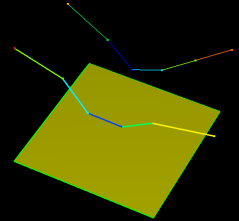
Input data click to enlarge
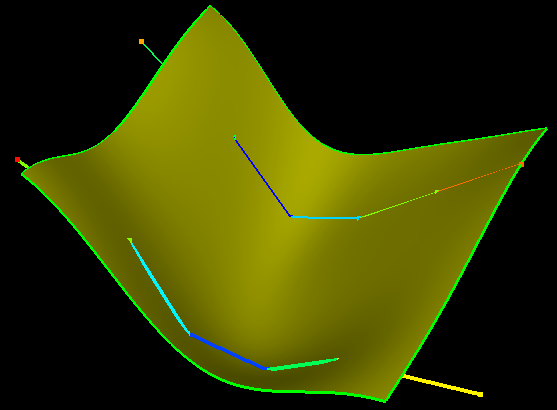
PolyLineSet(OrdinaryKriging, Gaussian, 40, 700, 700, 700, "1", "Depth", 0, 0, 1) click to enlarge
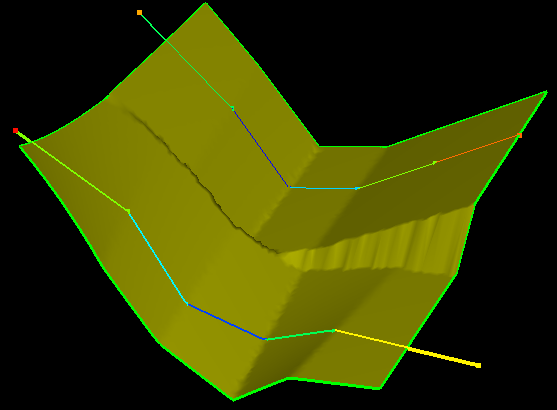
PolyLineSet(Linear, "1", "Depth", 0, 0, 1) click to enlarge
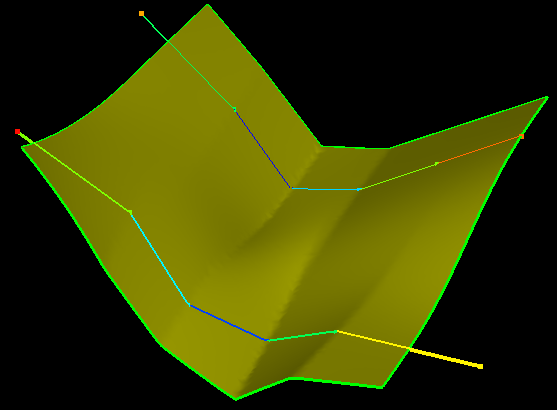
PolyLineSet(Linear, smoothed, "1", "Depth", 0, 0, 1) click to enlarge
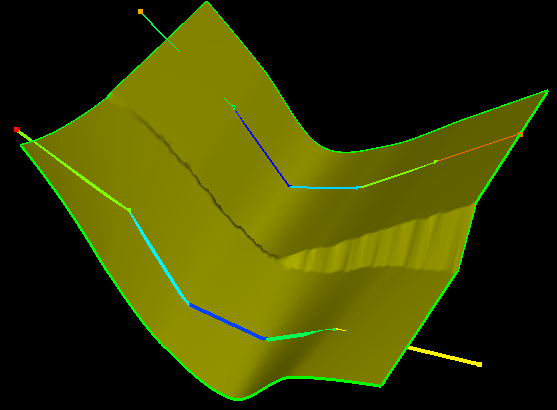
PolyLineSet(Cubic, "1", "Depth", 0, 0, 1) click to enlarge
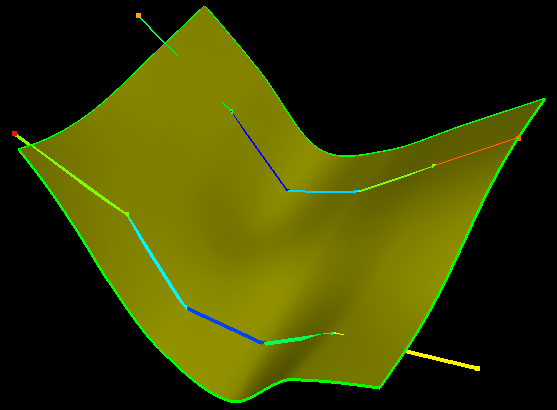
PolyLineSet(Cubic, smoothed, "1", "Depth", 0, 0, 1) click to enlarge
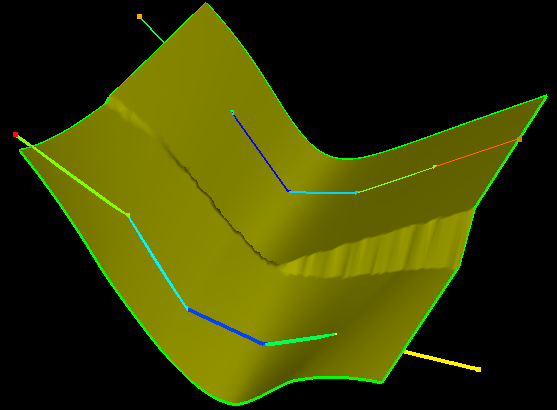
PolyLineSet(Spline, "1", "Depth", 0, 0, 1) click to enlarge
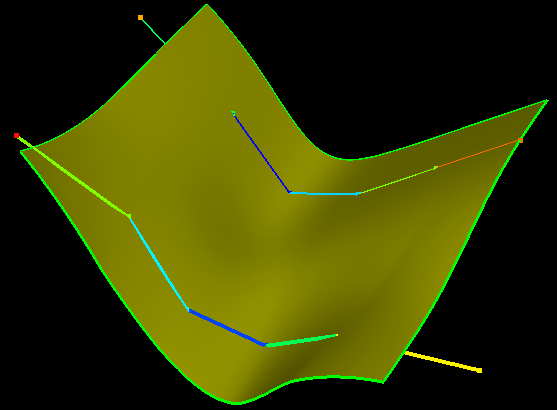
PolyLineSet(Spline, smoothed, "1", "Depth", 0, 0, 1) click to enlarge
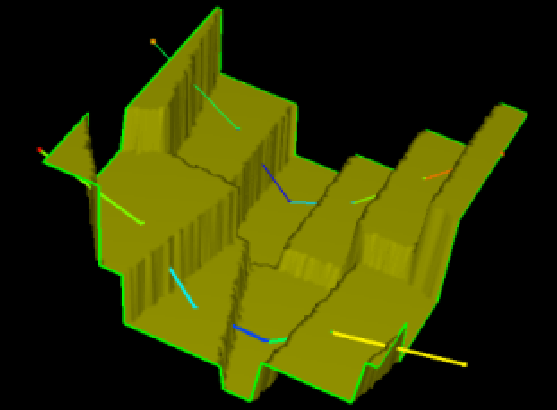
PolyLineSet("1", "Depth", 0, 0, 1) click to enlarge
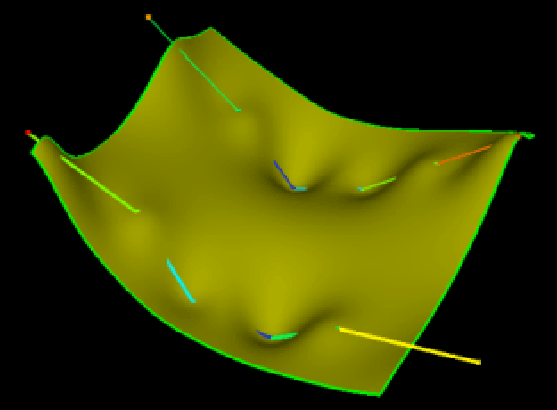
PolyLineSet(InverseDistWeight, 2, 40, "1", "Depth", 0, 0, 1) click to enlarge
Example 42 Tri-mesh interpolations
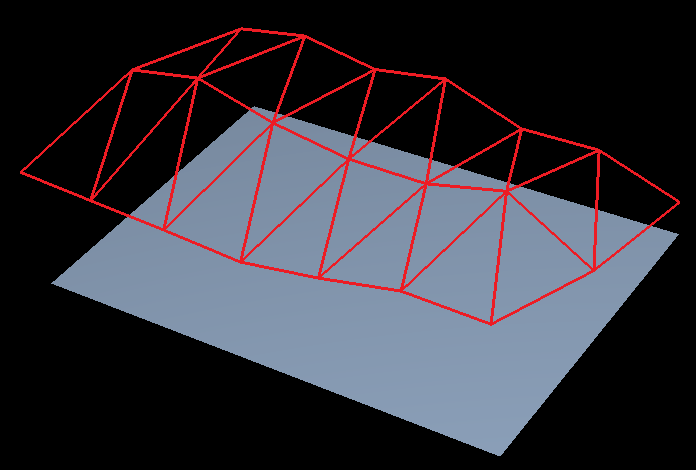
Input data click to enlarge
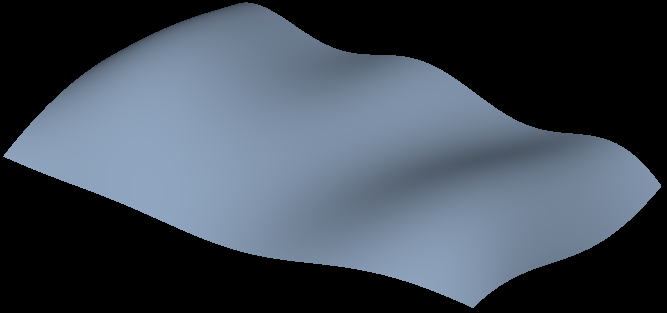
TriMesh(OrdinaryKriging, 2, 40, 8000, 8000, 8000, "H3", "Depth", 0, 0, 1) click to enlarge
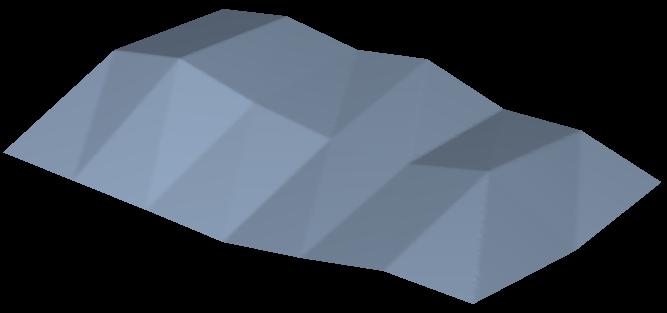
TriMesh(Linear, "H3", "Depth", 0, 0, 1) click to enlarge
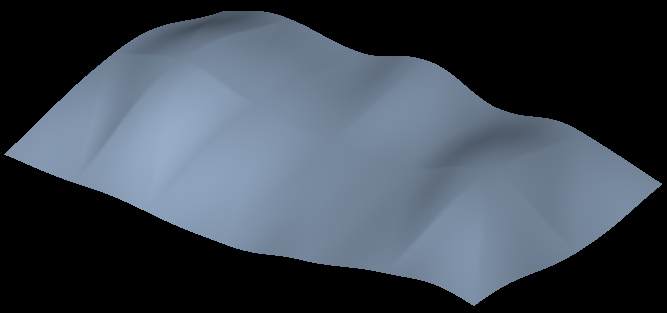
TriMesh(Cubic, "H3", "Depth", 0, 0, 1) click to enlarge
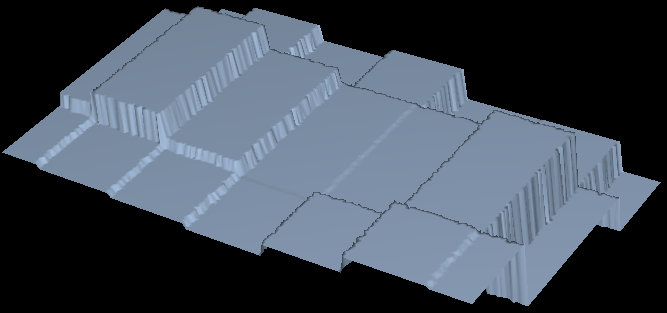
TriMesh("H3", "Depth", 0, 0, 1) click to enlarge
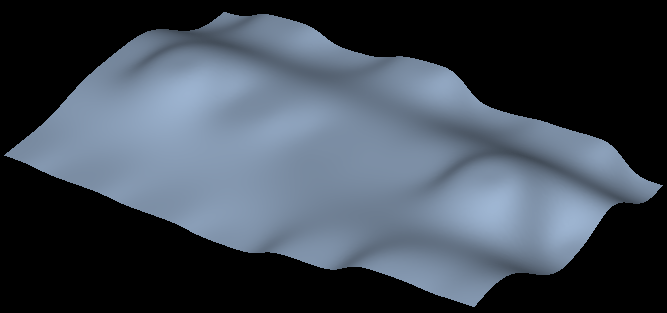
TriMesh(InverseDistWeight, 3, 40, "H3", "Depth", 0, 0, 1) click to enlarge
Example 43 2D Grid interpolations
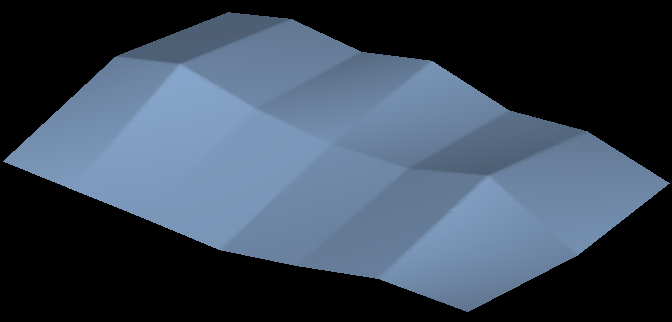
Grid2D(Linear, "H3", "Depth", 0, 0, 1) click to enlarge
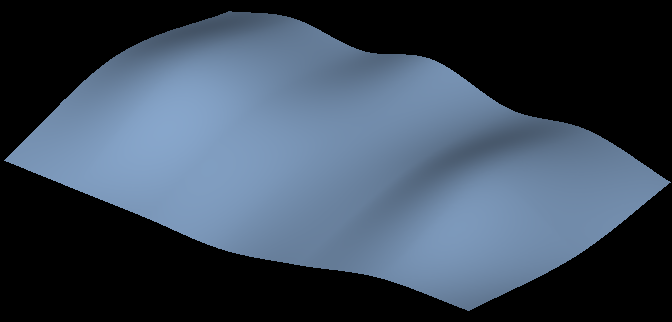
Grid2D(Cubic, "H3", "Depth", 0, 0, 1) click to enlarge
Example 44 2D Grid (working with breaks, extrapolation flag)
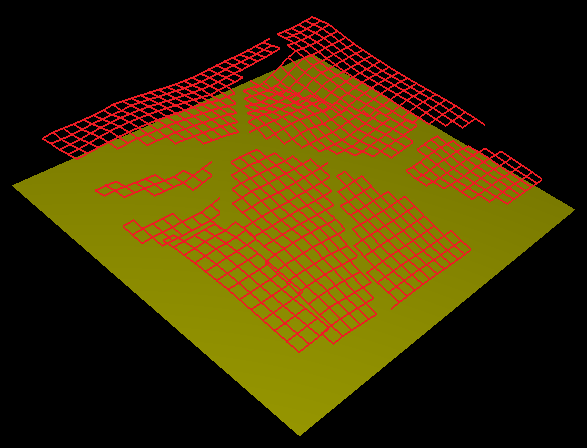
Input data click to enlarge
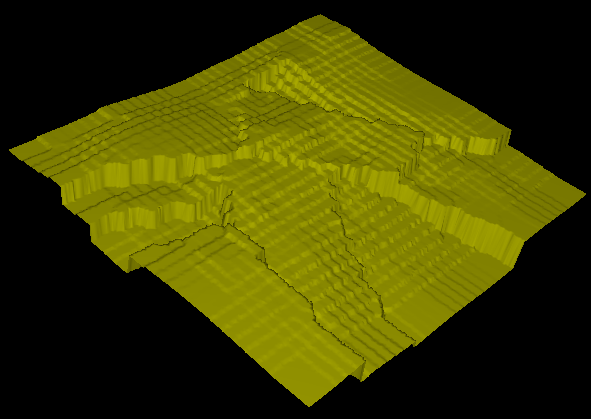
Grid2D("Top Horizon", "Depth", 0, 0, 1) click to enlarge
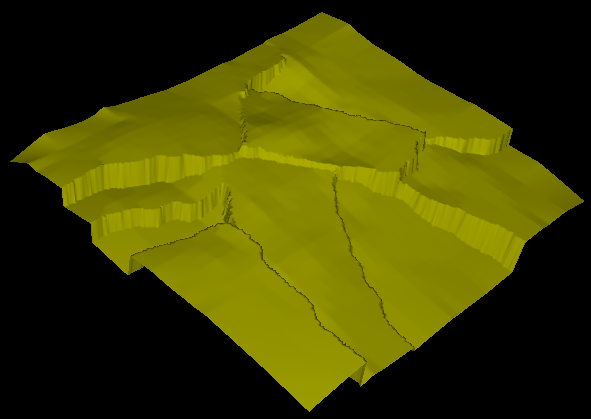
Grid2D(Linear, "Top Horizon", "Depth", 0, 0, 1) click to enlarge
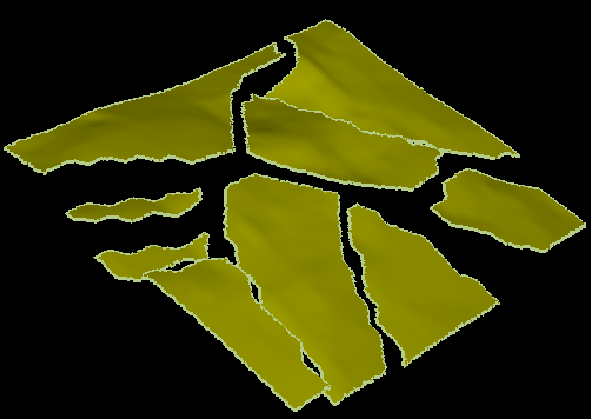
Grid2D(Cubic, withoutExtrapolation "Top Horizon", "Depth", 0, 0, 1) click to enlarge
Example 45 Seismic volume
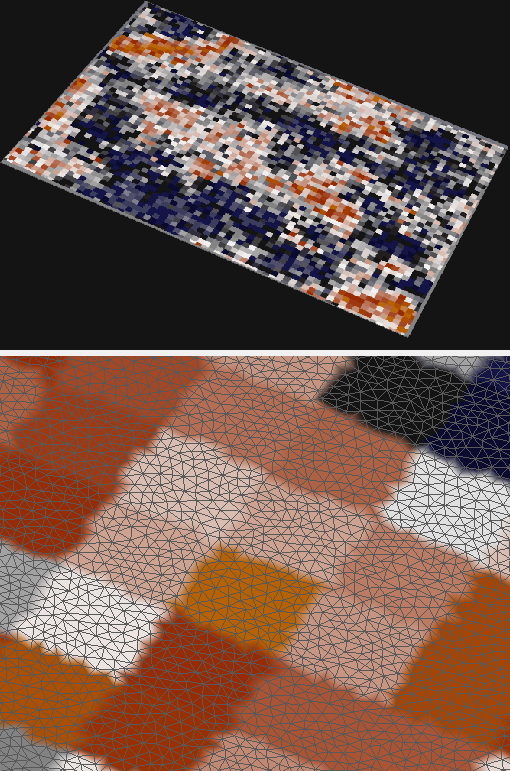
Seismic("booney", "Seismic Attribute")
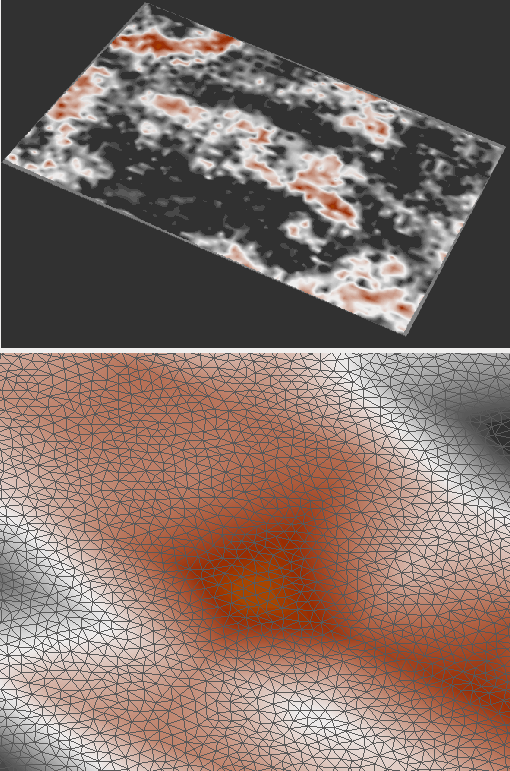
Seismic(Linear, “booney", "Seismic Attribute")
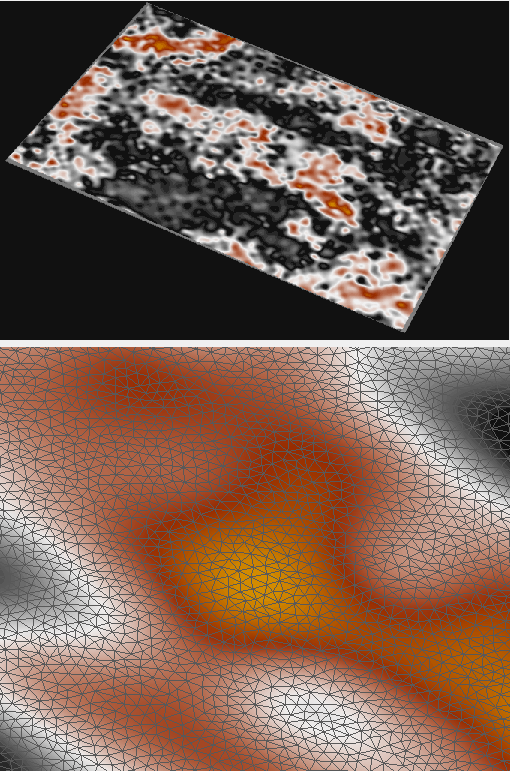
Seismic(Cubic, “booney", "Seismic Attribute")
Example 46 Using smoothed flag with several objects
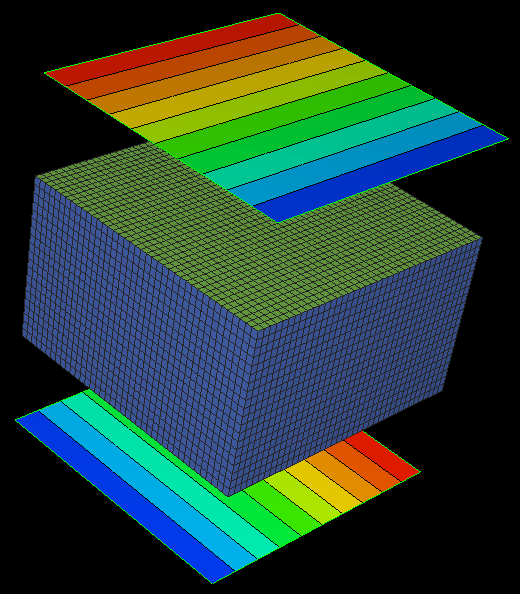
Input data
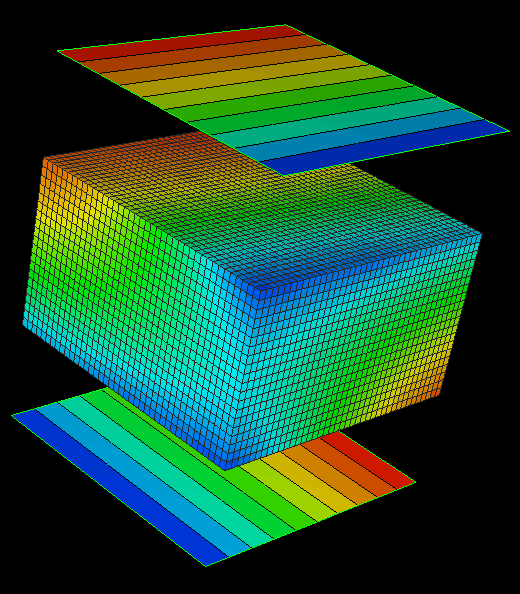
TriMesh(InverseDistWeight, 2, 40, "A, B", "P")
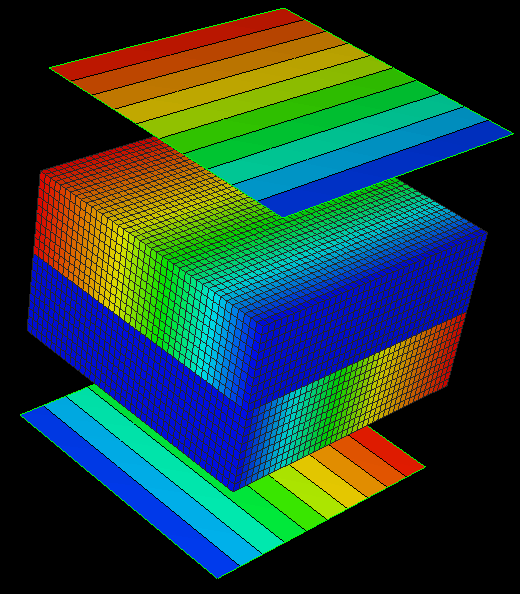
TriMesh(Linear, "A, B", "P")
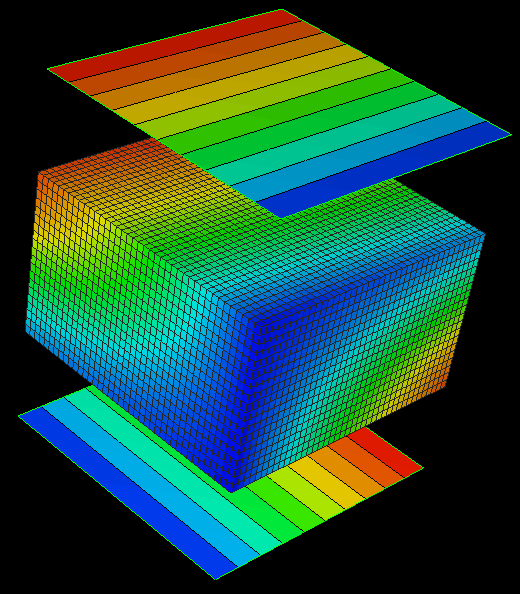
TriMesh(Linear, smoothed, "A, B", "P")
Example 47 Map property from 3D mesh
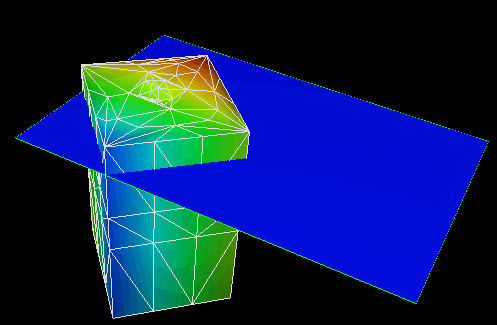
click to enlarge
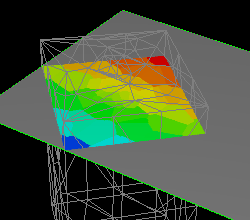
Mesh3D("FE-Model", "Test") click to enlarge
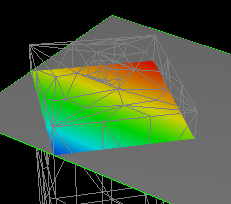
Mesh3D(interpolate, withoutExtrapolation, "FE-Model", "Test") click to enlarge