How surface-to-marker thickness is calculated
For the surface-to-marker thickness map, the thickness that is calculated between a surface and a marker is the True Vertical Thickness (TVT). The calculation of the True Stratigraphic Thickness (TST) uses the TVT values in combination with the dip value of the reference surface that you specified on the Assign Data form. For more information about the TST calculation, see section TST calculation at the end of this topic.
The well based thicknesses are calculated by projecting the well marker location onto the (dense) surface. The well marker locations are independent of the sampling or resolution of the thickness map. The well values can also be located outside of the thickness map area, while still being honored when interpolating. If you intend to exclude a particular well-based thickness, you can do so on the Refine selection form.
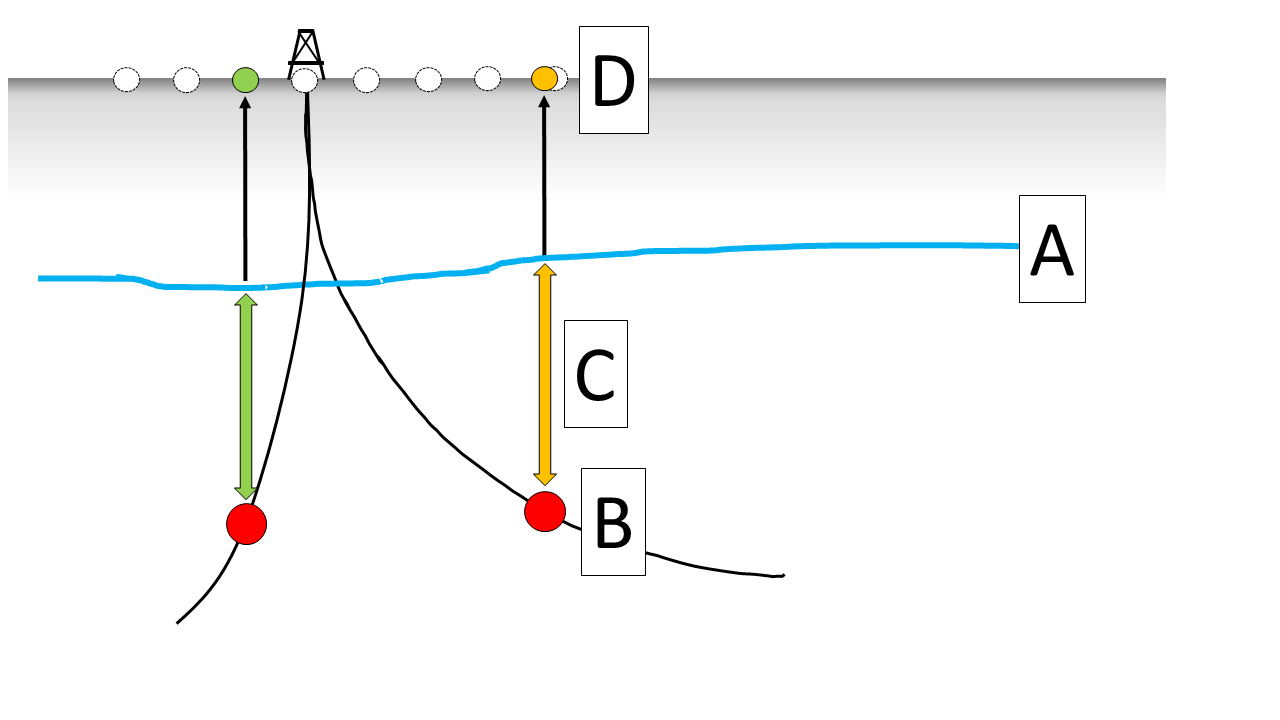
Image showing the thickness calculation based on the combination of a surface with a marker. The surface (A) is used along with a marker (B). The thickness is calculated by projecting the locations of the markers on the surface (C). The values are consequently shown on the map at the marker locations (D). Note that the sampling of the anticipated thickness map and the location of the thickness values are independent. click to enlarge
The calculation of the well based marker thicknesses is carried out per marker pick location. If the vertical projection of the marker pick location does not find a corresponding match on the surface then no data point is shown. Depending on the user preference, you can choose whether or not to honor a fault model. Similar to the thickness map calculation between two dense surfaces, you can choose to exclude data points which are affected by faults and potentially cause apparent thicknesses.
Upon thickness calculation, the dedicated Thickness Map View will show:
- The selected area.
- The wells that have the selected marker.
- The thickness values at the well locations of the anticipated thickness map.
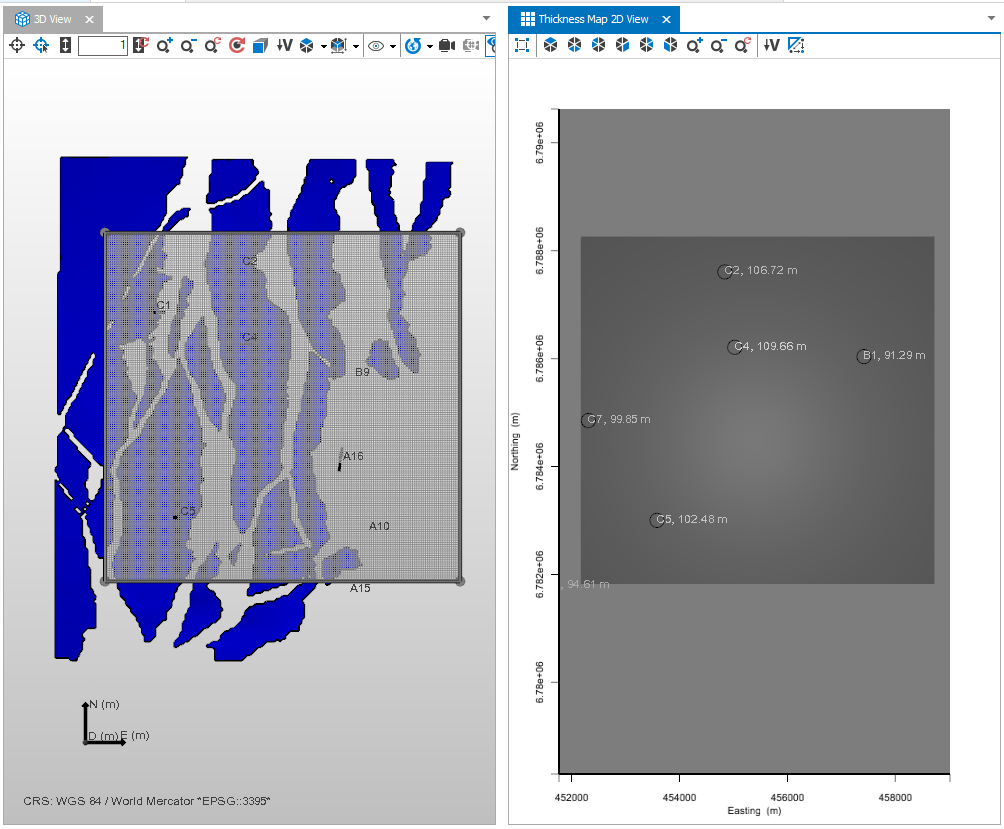
When using a combination of a surface (in this workflow, a 2D grid or tri-mesh) and a marker, completing the Assign Data step will show the anticipated area along with the well based thicknesses in the dedicated view. click to enlarge
TST calculation
For the True Stratigraphic Thickness calculation, first the True Vertical Thickness (TVT) between the marker and the surface is calculated. Then, the dip information for the marker location is retrieved from the specified reference surface. By knowing the TVT and the dip angle at marker location, the following calculation is performed:

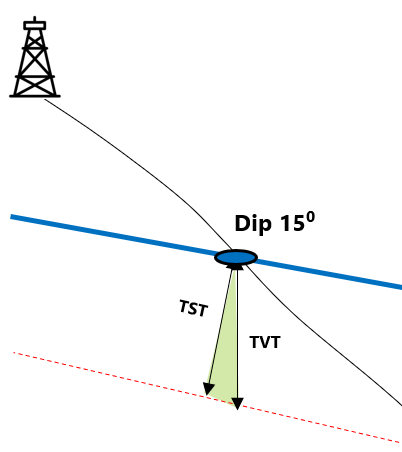
Image showing the TST calculation based on the combination of a surface with a marker. click to enlarge