Using planar cross sections as clipping planes
Planar cross sections can also act as clipping planes for all objects in the 3D view. This feature, combined with the other planar 3D control options, allows a dynamic viewing experience of model cross sections in your 3D view.
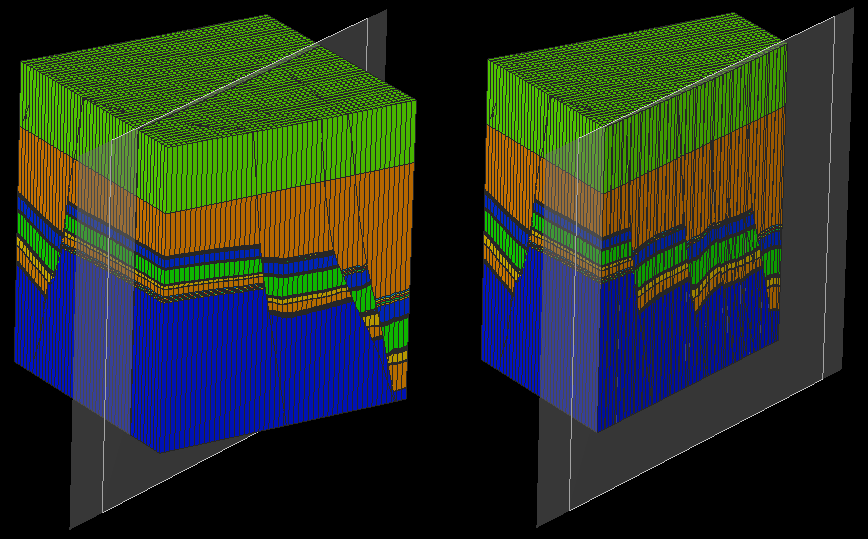
Use as clipping plane disabled and enabled (right) click to enlarge
To access this option, right-click on a planar cross section and enable Use as Clipping Plane. When enabled, the planar cross section clips the side of the 3D grid or seismic grid facing towards the screen out of the view allowing you to see the cross section at the desired location as well as its context within the rest of the grid.
The section of a grid that is clipped updates as the 3D view is rotated to always clip away the side facing the screen. It also updates when the planar cross section is moved in your 3D view. All visibility options for planar sections are still completely accessible when this option is enabled.