Visual QC of (re)constructed surfaces
When you are modeling with JewelSuite Subsurface Modeling, there are several workflow steps which influence how surfaces are (re)constructed in the 3D structure workflow. For constructing surfaces, the following information is used:
- the data you have assigned
- clean up of horizons (model > 3D Structure > Horizon Clean-Up)
- the settings in the Edit Model form (model > 3D Structure > Edit Model)
- edits to the fault cut off lines in your model (model > 3D Structure > Fault Cutoff Line Edits)
When you perform a horizon clean-up, the 'cleaned-up data' is not deleted. The nodes of a surface falling within the distance set by you on the Horizon Clean-Up form will be assigned to a new property, called 'Active_<name of your selected fault model>'. In the JewelExplorer, this property is added to the surface which was originally assigned to the structural model. During surface construction, the Active property will determine which data points are used for constructing the surfaces. Parts which are set to 'active' will be honored as closely as possible in the output. Here, a close match between input and output data can be expected. Nodes which are set to 'inactive' are not used in the construction as these data points are excluded. The output surface is created for the inactive area based on the interpolation of the active nodes and the alignment settings specified on the Edit Model form.
This means that if you are dealing with an event represented by dense data (tri-mesh or 2D grid), the output surface will be almost identical to your input data in locations where the nodes of the Active property are set to 'active', as the data is fully honored. The geometry in areas where the Active property is set to 'inactive' is determined by (1) the alignment of other events, (2) the interpolation techniques and settings, (3) potential edits made on Fault Cutoff Line Edits. If you see that the 'inactive' regions of your input data are too narrowly set to honor these settings, you may need to re-run Horizon Clean-Up with greater clean-up distance before running Construct Surfaces again (see Editing fault cutoff lines.)
The 'active' nodes of your input to the structural model can be visualized by showing the Active property. When the input data consists of a 2D grid, the property can be effectively visualized when rendered as points. To do this, select the horizon containing the 2D grid in the JewelExplorer (either under the Surface Set or under the Seismic Interpretation) and open the representation (i.e. the 2D grid) to show all available properties. Select the Active_<your fault model> as the property to display. Next, open the context menu, and select Display settings > Render mode > Draw points.
In the following three images an example of the same horizon is shown before horizon clean-up, during horizon clean-up, and after reconstruction of the surface for the 3D structural model. On it, the Active property is rendered upon availability.
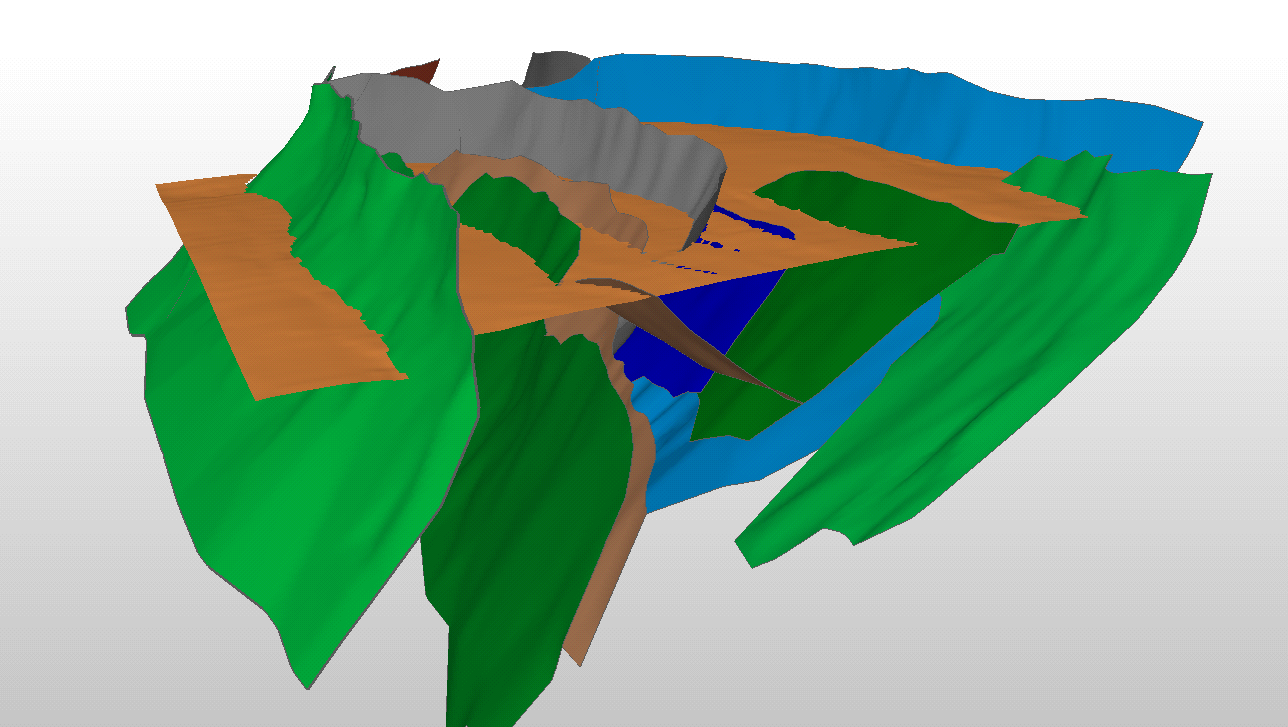
Original horizon that is assigned to the model. click to enlarge
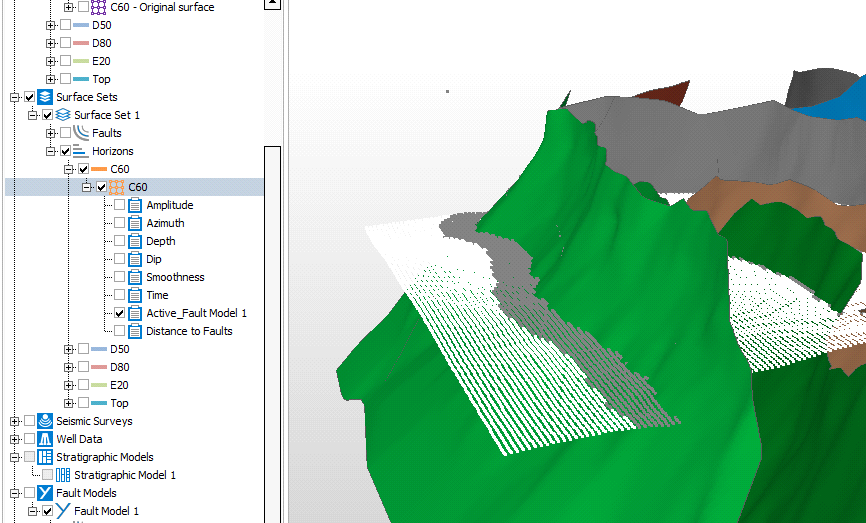
After horizon clean-up, select the Active property for display. For the input 2D grid in the image, the gray nodes all fall within the clean-up distance set on the Horizon Clean-Up form. This data will not be used when you (re)construct the surface. The white nodes in the image represent the active parts of the surface. click to enlarge
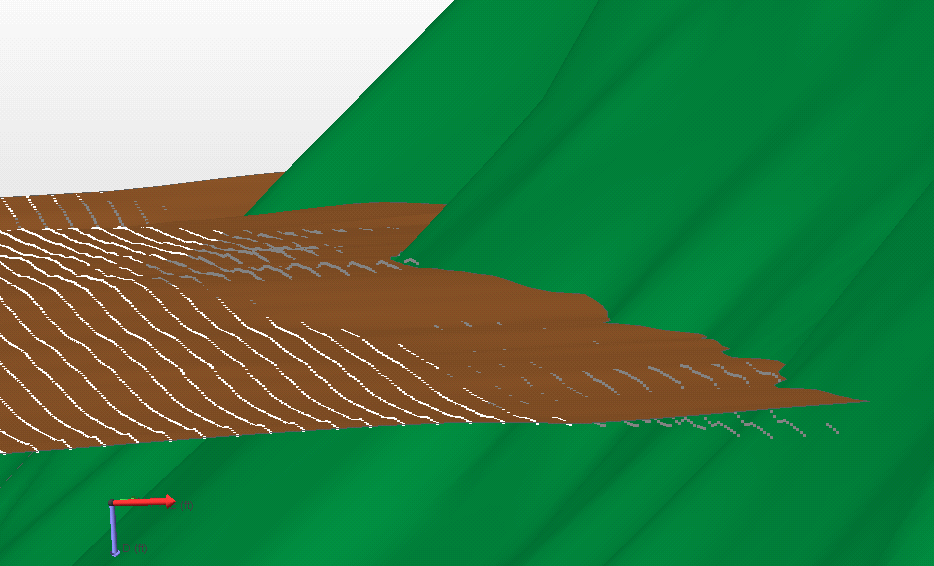
During the Construct Surfaces step, the part of the surface that is set to inactive (the gray nodes) is interpolated (based on the interpolation settings, fault cutoff line edits, etc.), while for the part of the surface that is set to active (the white nodes in this case), the surface is constructed as close as possible to the original data. click to enlarge