Steps in well planning
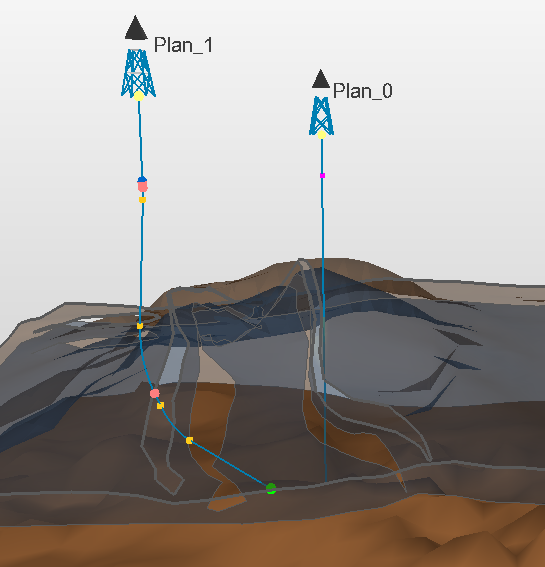
Vertical and deviated wells created in a 3D View. The yellow squares indicate the turning points; the colored circles indicate specified targets click to enlarge
Apart from importing wells and logs, which can provide invaluable input to your models, you can create new wells and well pads to use in reservoir simulation or hydraulic fracturing. You can then use these to predict production at a certain locations and test 'what if' scenarios.
You can calculate pseudologs for planned wells to investigate and QC the model at certain locations, and use these wells to guide specific grid modeling processes.
You cannot edit wells directly. To change a well (trajectory, wellbore) you must change its well design (also called well plan). To do so, use the context menu of the well design in the JewelExplorer and select Edit.... This will open the Well Plan Settings form. Alternatively, to change the default settings for all well plans you will create from this moment on, you can open the Drilling Constraints form (plan > Wells > Drilling Constraints) and adjust the settings here.
With the plan strip you can create well designs. When you create a well design, it appears in the JewelExplorer along with a well object of the same name that is generated from the well design. A well design contains targets which are used to create the actual well trajectory. It holds all the information needed to create the well trajectory (such as which algorithm to use) and the well target directions and locations.
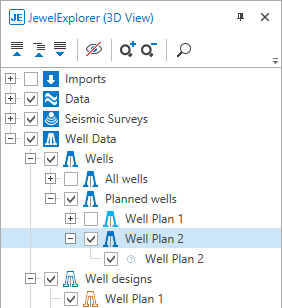
Well designs, well plans and wells in the JewelExplorer click to enlarge
You edit an individual well plan using the Well Plan Settings form (plan > Wells > Well Plan Settings). With a well plan, the trajectory of the wellbore is flexible and responds to graphical or other constraints that you set.
You can create a well or wellpad by using the workflows in the Well Planning strip , or you can use the graphical tools in a 3D view, see Graphically creating wells and Graphically editing wells for more information. Before doing this, however, it is recommended that you review the default settings that will be applied when you create a new well, such as KOP and method for calculating the well trajectory, see Drilling Constraints. If you are interested in one or more specific reservoir intervals in your field, you can define one or more zones and specify how you want the wells to be drilled in that zone, the number of targets (positions along the bore hole that shape the well) and the position of those targets in the reservoir zone. See Creating well target zones for details.