Flexures in the 3D structural model due to boundary effects
You may observe flexures at the edge of your 3D structural model where there are faults.
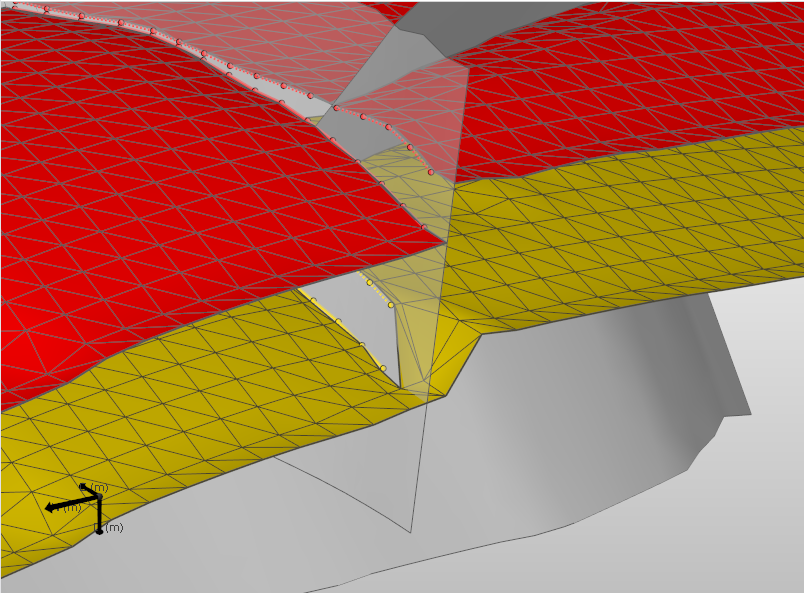
Local flexure of a horizon as opposed to the expected offset. These artifacts may occur at the outer boundaries of your model click to enlarge
Where encountered
- model > 3D Structure > Construct Surfaces
- model > 3D Structure > Fault Cutoff Line Edits
Cause
The artifact you may see is a local flexure of the horizon at a fault, which occurs at the outer boundary of your model domain. In the figure above, the transparent fault terminates at the model boundary. You would expect to get a proper offset here instead.
Local flexures can manifest themselves at different stages during modeling and can have multiple causes:
- Not covered in this section:
- Covered in this section: flexures as a result of boundary effects
This section discusses local flexures as a result of faults terminating too early. The geometry of the 3D structural model is generated with the help of the gridder. When a fault in your model terminates exactly at the boundary, while the created grid extends a small distance outwards, a grid is generated which may change from an offset geometry in the region of the fault to a flexure beyond the location of the fault.
How to fix the issue
You can resolve this issue by extending the fault outwards, by using the Extend Boundary tool for example. The extension should be large enough to extend the fault beyond one step of the modeling parameters.
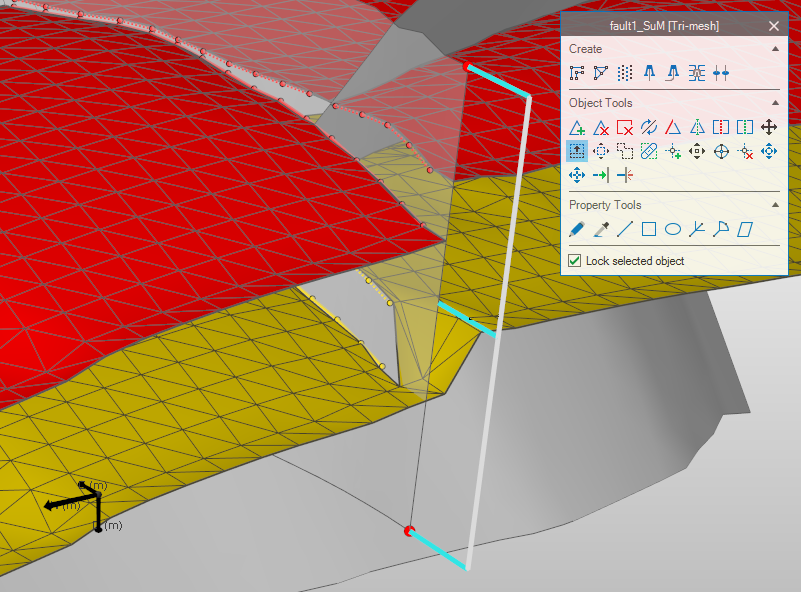
Using the Extend Boundary tool. Here, the step is carried out on the fault contained in the 3D structural model. It can also be assigned to the fault model. In the latter case you would need to reassign the fault model to the 3D structural model click to enlarge
Result
By extending the fault outwards and rerunning the Construct Surfaces step, you will obtain a clean offset.
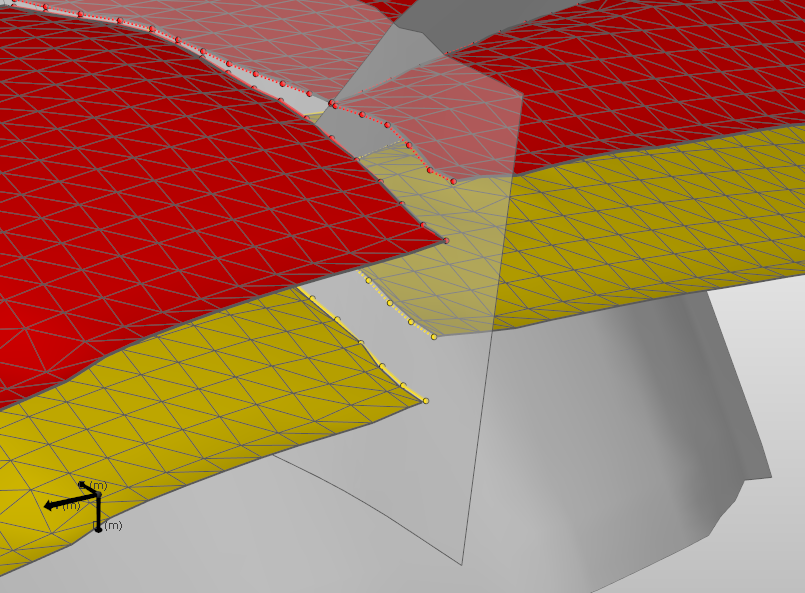
Result of the “Construct surfaces” step after extending the fault outwards click to enlarge