Pulling fault cutoff line nodes through faults
While editing fault cutoff lines in models including cross cutting faults, some of the fault sticks may allow you to move the control points into another compartment (see image below). Such a misplaced control point may lead to flexures as shown in the second image below.
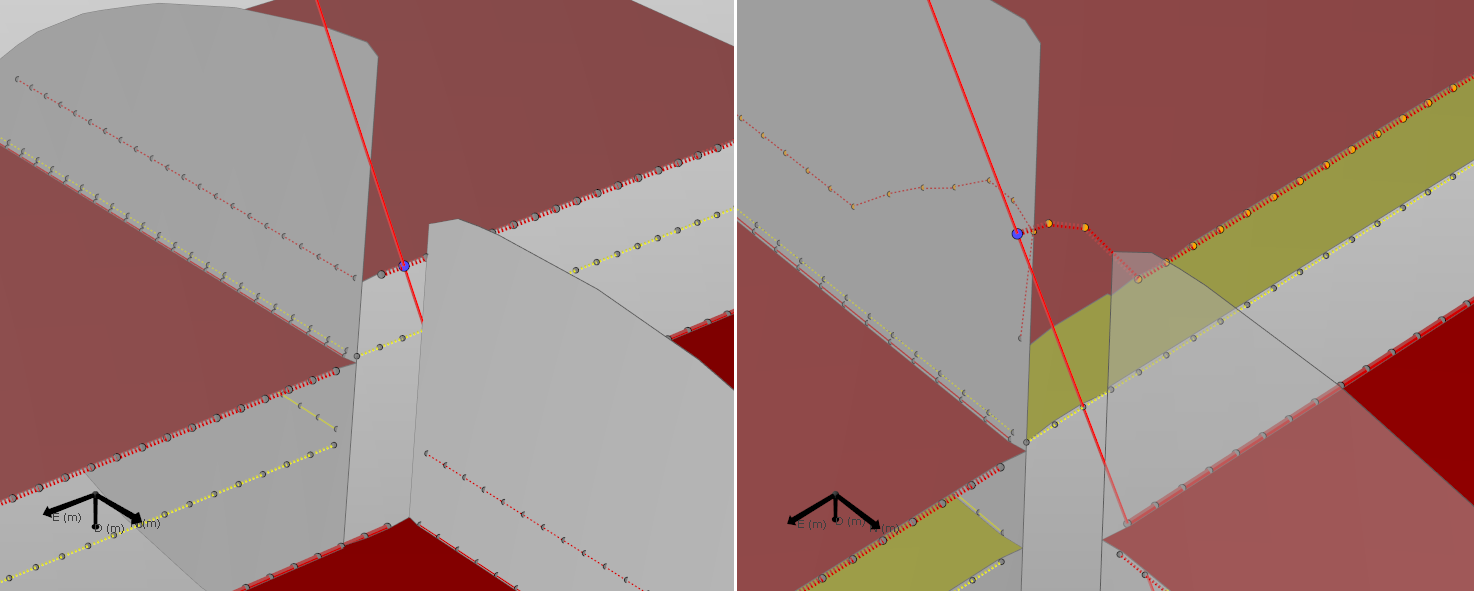
You are attempting to edit the two red fault cutoff lines at the back of the image. You try to bend the horizon upwards. While editing both lines, some of the control points may lie on fault sticks which protrude through other faults. Such a point is shown on the right. Here the node is pulled into another compartment click to enlarge
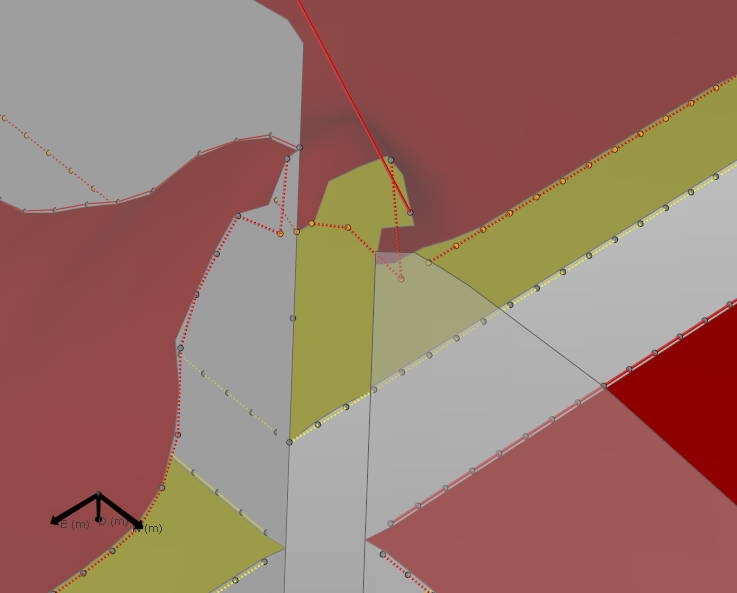
The control point ending up in the wrong compartment leads to massive flexures as the hanging wall nodes are now pulled upwards towards this point click to enlarge
Where encountered
- model > 3D Structure > Fault Cutoff Line Edits
Cause
Local flexures can manifest themselves at different stages during modeling and can have multiple causes:
- Not covered in this section:
- Covered in this section: flexures due to fault stick control points moved into wrong compartment
The fault sticks do not currently check to which compartment they should be confined. This means you may place the control point in the wrong compartment, and it will be interpreted as such by the gridder which will pull the horizon towards this point.
How to fix the issue
You can avoid this issue by using the QC controls built into the software. On the Fault Cutoff Line Edits form you can check the option 'Display related fault-fault intersections', which will render the intersections of the fault of interest with other faults. These intersections mark where you would move from one fault block into another. While editing the fault cutoff line nodes, you can select to limit the movement by using these projected intersections indicating the possible range. These QC tools help you to avoid the described artifacts. Please visit the Editing fault cutoff lines section for more details.
In case you moved a node into the wrong compartment, do the following to fix it: upon identifying the nodes, remove any edits. These nodes will then be shown in gray. Unedited nodes will not be picked up by the algorithm, for which their new location will be calculated according to the edits the user made.
Result
Marking the problematic nodes as 'unedited' will have the desired effect. Their location will be determined by the gridder, placing them in accordance to the other edits as shown in the image above.
This is also the reason why the end nodes of the fault cutoff lines are by default set to 'unedited', even if you lock the entire segment.
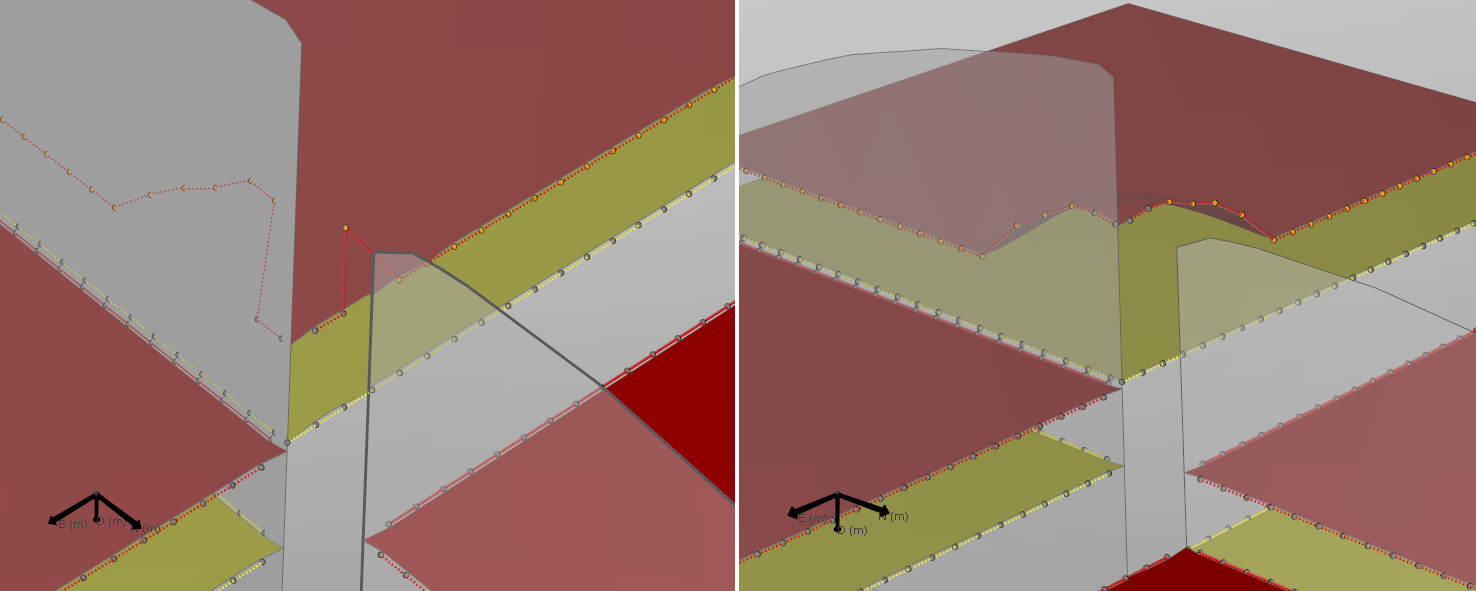
To avoid the artifact, you should avoid editing any nodes which may be placed into other compartments. Only those nodes which can be placed safely without crossing other faults should be moved. Questionable nodes should not be moved and you should remove edits on them. When you do this, the gridder will determine the correct position of these nodes, leading to the desired effect click to enlarge